

Create a test case from a conversation
Open a conversation in Conversation Review
Go to Analytics > Conversations and select a conversation. In the side panel, click the Add test button.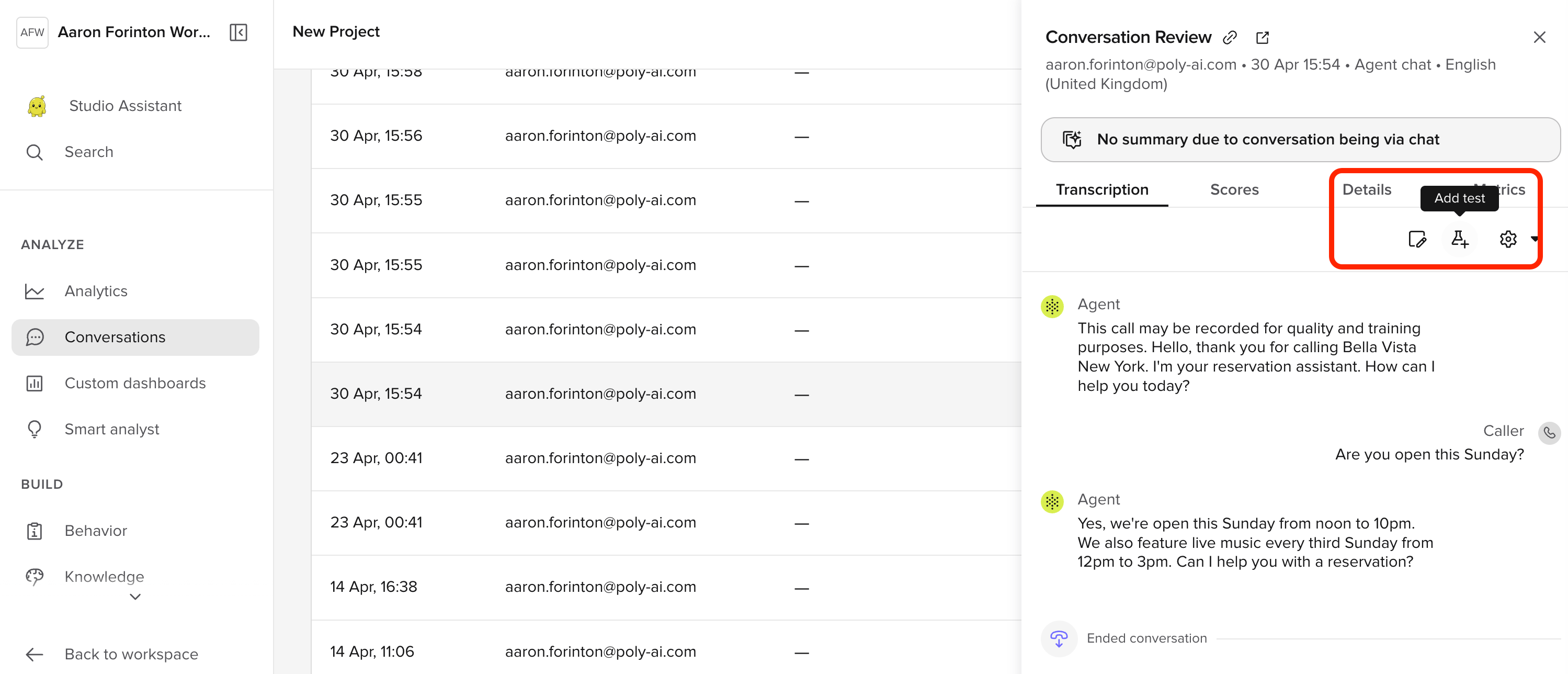
Name the test case
In the Create test case modal, give the case a descriptive name (for example, “Sunday Opening Test”) and click Create.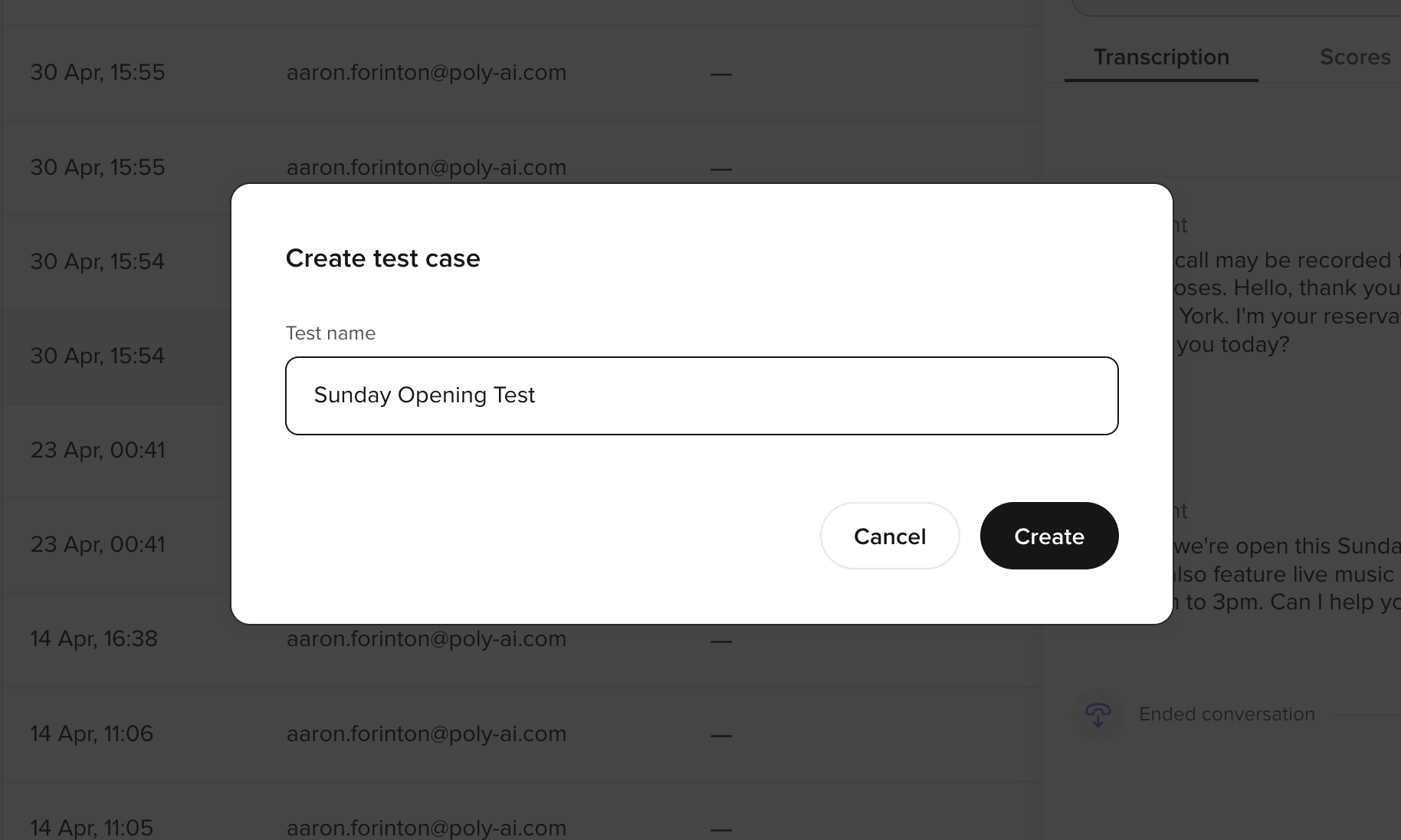
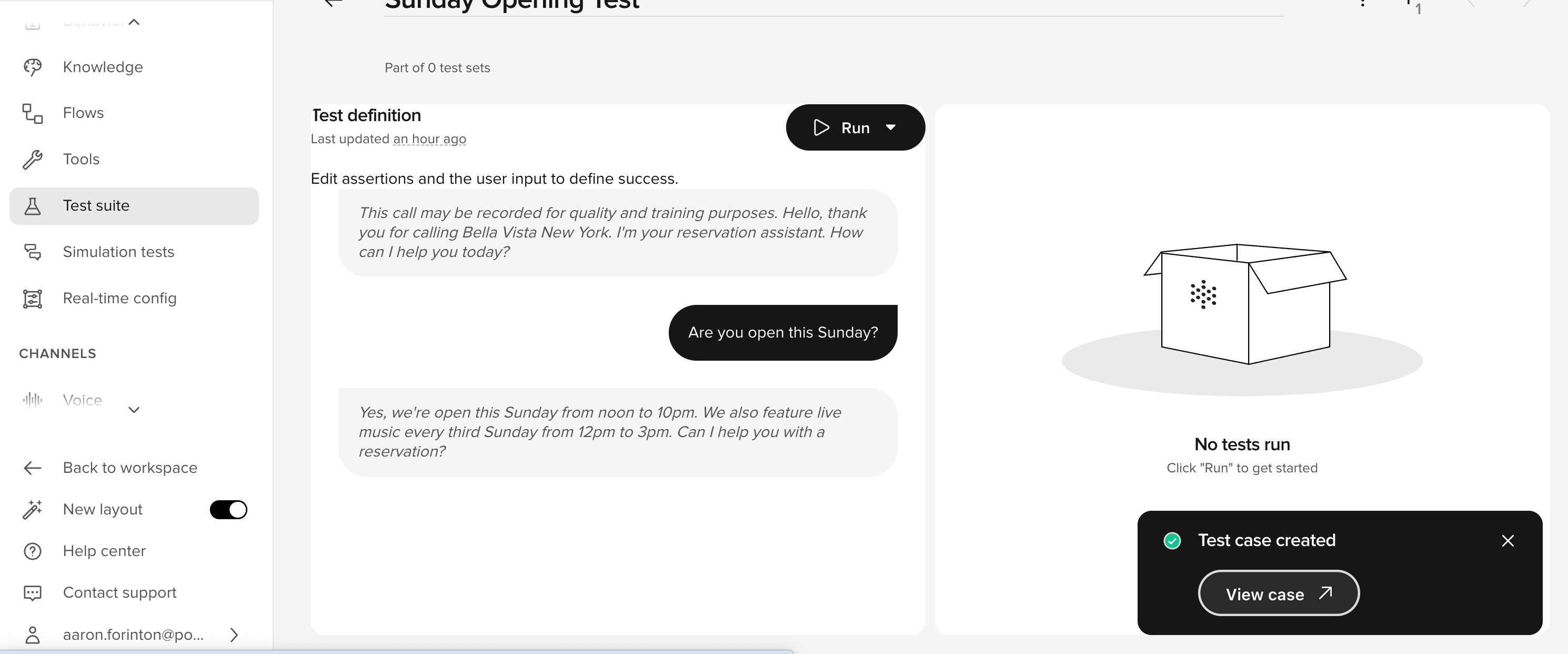
Edit test case parameters
Each test case stores the function call values from the original conversation. You can edit these to test variations of the same scenario without creating a new case.- Open the test case from Test suite.
- Select the parameters you want to modify.
- Adjust values to simulate a different scenario — for example, change a date, customer ID, or location.
- Save the case.
Best practices
- Save tests from real conversations — cases from Conversation Review capture real-world scenarios your agent has already encountered.
- Name cases descriptively — use names that describe the scenario, not the expected outcome (for example, “Sunday Opening Test” rather than “Test 1”).
- Cover edge cases — duplicate a case and tweak parameters to test boundary conditions without re-recording a conversation.