

Test sets
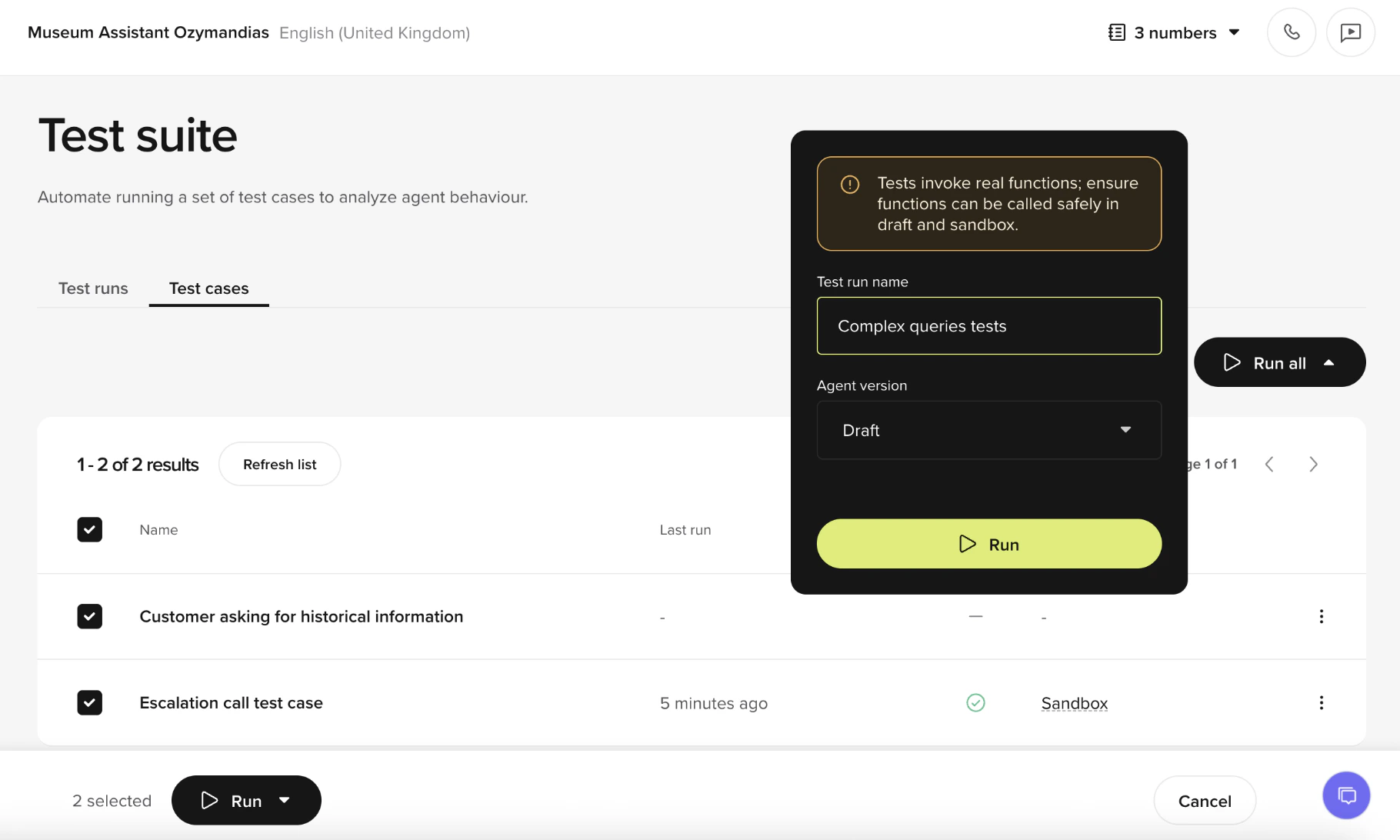
A test set is a named collection of test cases. Use sets to cover a feature area or release scope (for example, “Payments,” “Shipping,” “Core intents”). A test case can belong to multiple sets. To create a set:- Go to Testing > Test Sets and select New set.
- Give the set a name and add cases from the picker.
Run tests
Tests run against the Branch or Sub-branch you have open. Open the Branch you want to test before you start a run.
- Single case
- Test set
- Open the case in Test Cases.
- Make sure the Branch you want to test is open.
- Select Run to execute just this scenario.
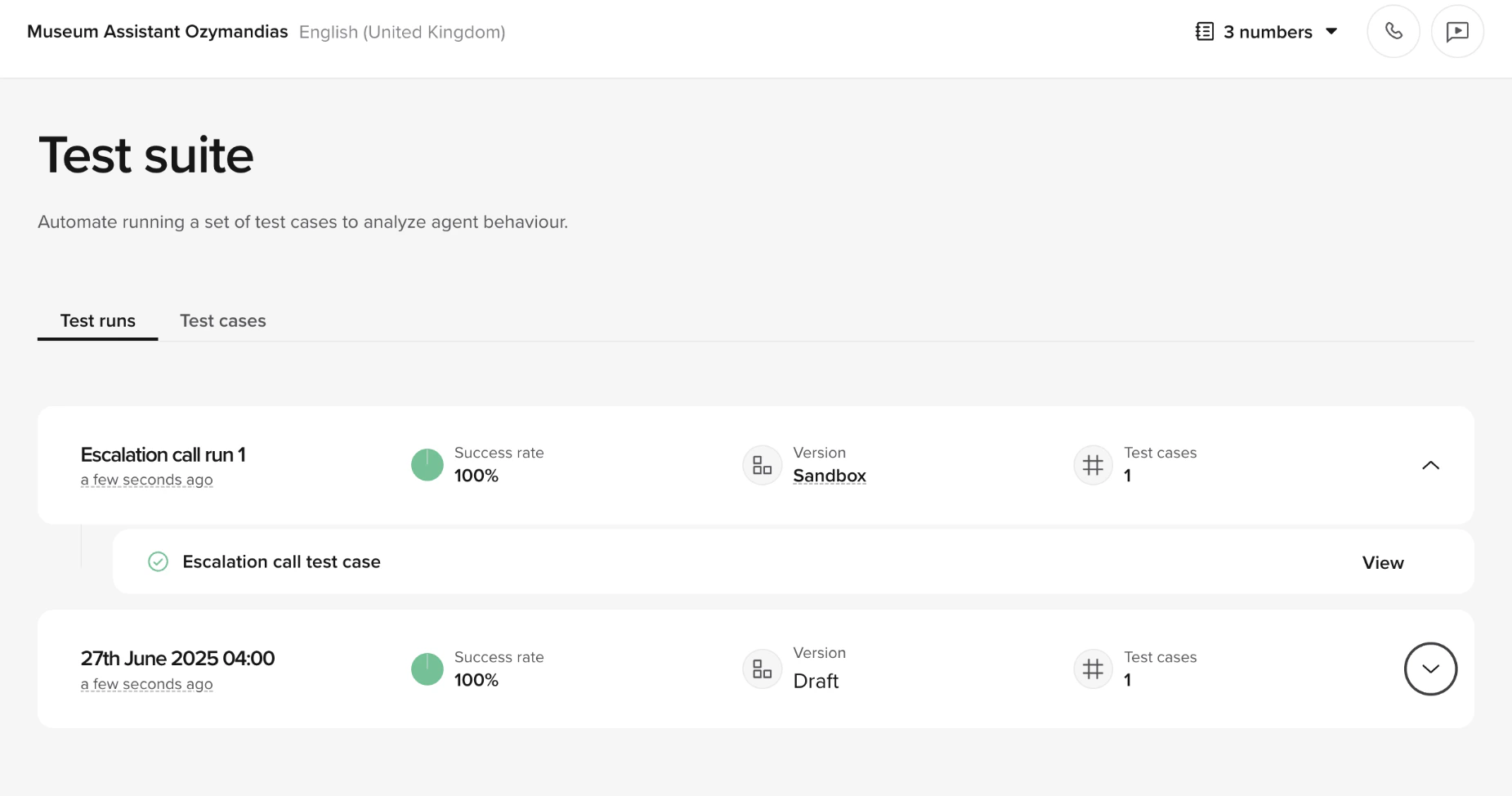
Review results
When a run completes, select it to open the Test run panel. The panel shows:- Prompt assertions – each assertion with a pass/fail indicator and a short explanation of why it passed or failed.
- Conversation – the full transcript of the simulated conversation, showing both caller and agent turns.
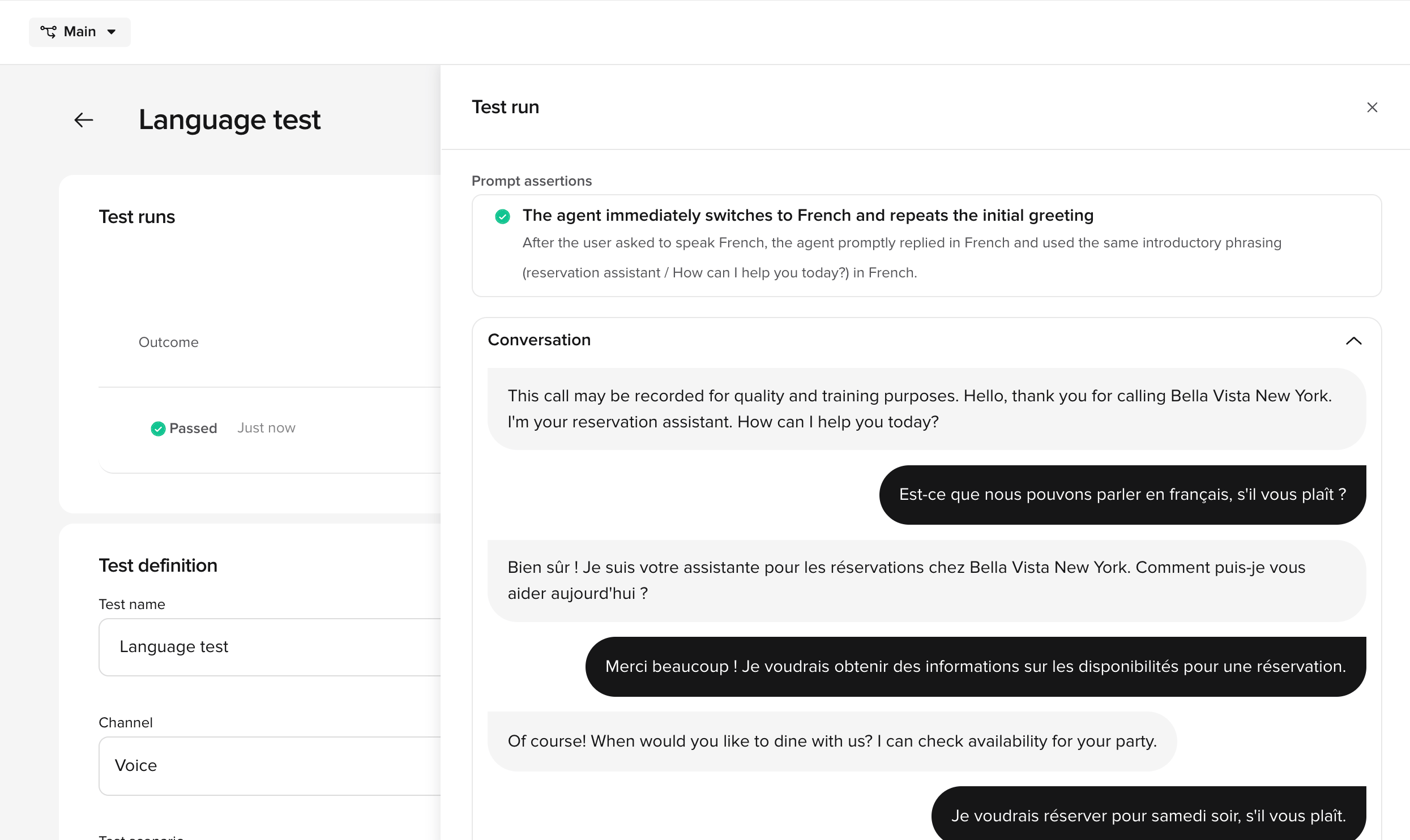
- Pass/fail counts – how many cases succeeded vs. failed in the run.
- Trend charts – historical pass/fail rates across multiple runs, so you can spot regressions over time.
- Knowledge topic changes that altered routing
- Function logic updates that changed return values
- Flow modifications that skipped or reordered steps
Edit test case parameters
Each test case stores the function call values from the original conversation. You can edit these to test variations of the same scenario without creating a new case.- Open the test case from Test Cases.
- Select the parameters you want to modify.
- Adjust values to simulate a different scenario – for example, change a date, customer ID, or location.
- Save the case.
Best practices
- Create focused sets – group cases by feature area so failures point to the right area.
- Re-run after knowledge changes – topic edits can silently break other flows. Test sets catch this.
- Run after every significant change to your Branch – catching regressions early saves time and prevents issues from reaching Live.