

How the score works
Every conversation is evaluated on two questions:
The 1–5 scale mirrors CSAT, so PolyScore reads naturally alongside the customer-satisfaction metrics you already use.
Which conversations get scored
Conversations need to meet two criteria to be scored:- Is the user engaged? That is, was it possible for the agent to do its job. Spam calls, silent calls, or conversations where a user instantly requests a human count as not engaged.
- Have there been more than 3 user turns in the conversation? This only scores conversations where some interaction took place.
How the two dimensions combine
The overall score is shown as a color-coded badge in Conversation review:
How to read the score
These rubric decisions matter most when interpreting a score:- Handoffs result in a neutral Task Success outcome. From the user’s perspective the outcome is identical: they were routed to a person. A handoff is never scored as “not completed” — that rating is reserved for genuine dead-ends where the user got nothing and nobody. A handoff due to a struggling agent is penalized through the Agent Quality sub-score instead.
- Self-service paths score as completed. If the agent gives the user a concrete path they can complete themselves — “you can reset your PIN any time at acme.com/pin” — that scores as fully completed, the same as resolving it in-conversation. For many agents, routing users to self-service is the designed job; penalizing it would punish the configuration you chose.
- Frustration only counts against the agent when the agent caused it. Unhappiness with a policy or outcome doesn’t penalize the agent; being stuck in a loop does.
- Design choices aren’t penalized. To the extent that this can be inferred from the transcript, if your agent is configured to deflect or decline certain requests, executing that correctly scores as competent handling.
- Outbound declines result in a neutral Task Success. A polite “not interested, remove me,” honored cleanly, is scored as the agent doing its job.
Where PolyScore appears
- Conversation review — score badge at the top of each transcript, with expandable dimension breakdowns.
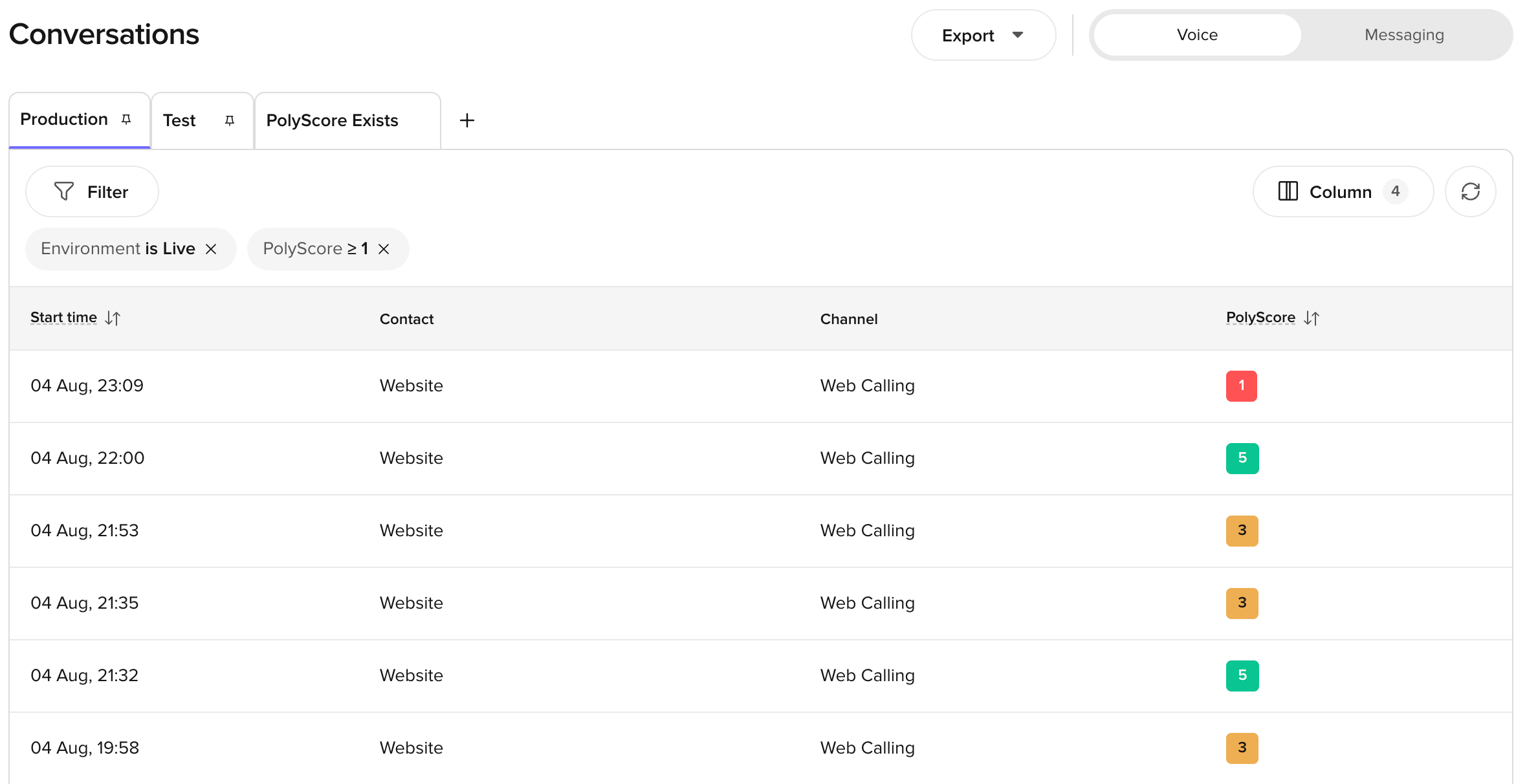
- Conversations table — sortable PolyScore column for quick quality scanning.
- Home page — average PolyScore trend chart under Quick Insights.
- Wren — use PolyScore as a sampling criterion or query PolyScore tables directly via SQL.
- Conversations API — PolyScore data is available in the API response when the conversation has been scored.
Limitations
This means:- PolyScore cannot verify whether an action was actually completed in an external system (for example, a booking made, an appointment canceled). It can only assess whether the conversation appeared to resolve the task based on what was said.
- PolyScore does not know what the agent should have said — only what it did say. If the agent confidently gave an incorrect answer, PolyScore may still rate the conversation highly.
- Scores reflect conversational quality, not business accuracy. Use PolyScore alongside your own QA processes, AI Scores, and custom metrics for a complete picture.
PolyScore is available for conversations from 28 July 2026 onwards. Earlier conversations were scored on the previous 0–10 scale and no longer carry a PolyScore.
Questions? Reach out to your PolyAI account team.
Related pages
Conversation review
View per-dimension PolyScore breakdowns alongside transcripts.
Analyze conversations
Ask Wren to query PolyScore data and sample conversations by score.
AI Scores
Score conversations against criteria you write yourself.
Studio transcripts
Access transcripts and call summaries.