

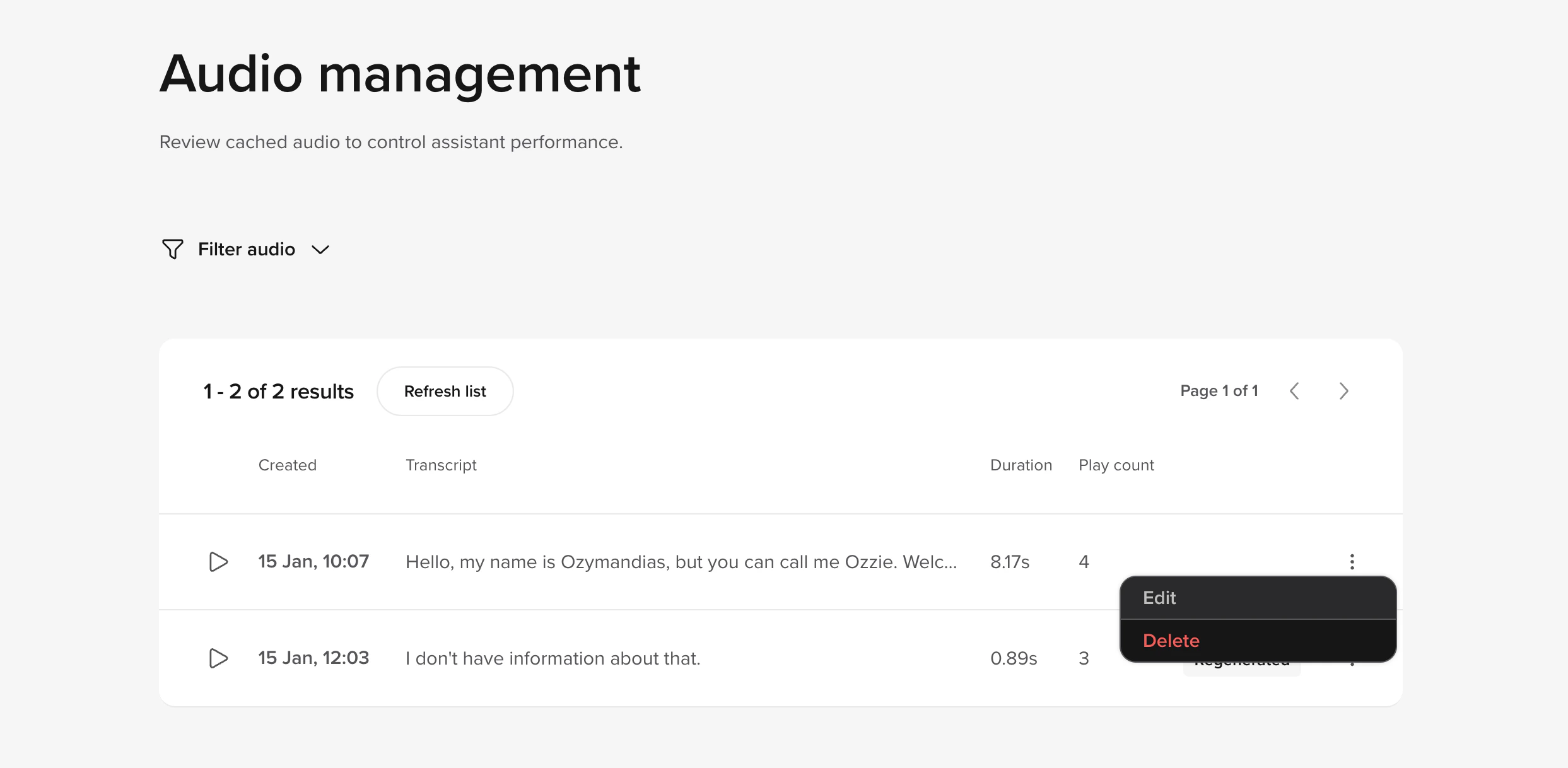
Managing cached audio
- Open the Audio library tab.
- Review all audio saved to the cache and monitor how often it has been used by the agent.
- You can delete cached files and upload new ones to overwrite existing audio.
- Edit options
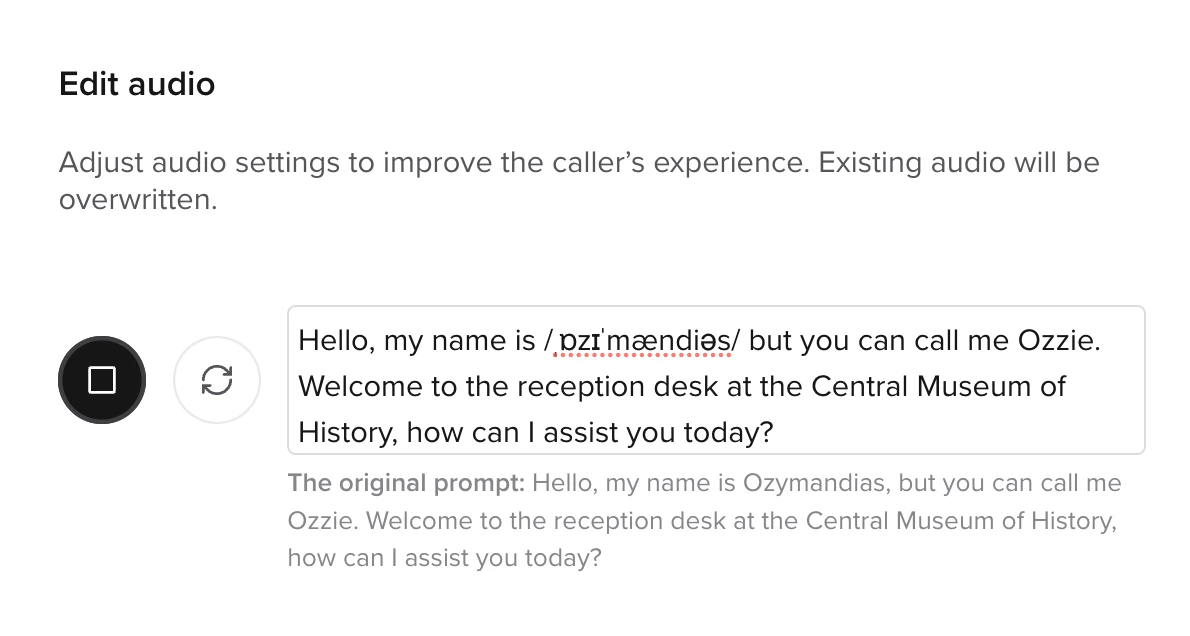
- Add IPA syntax
You can edit the stability and clarity of the agent’s voice specifically for this utterance. The edit tab also includes sync and play buttons so you can test changes live in the edit panel.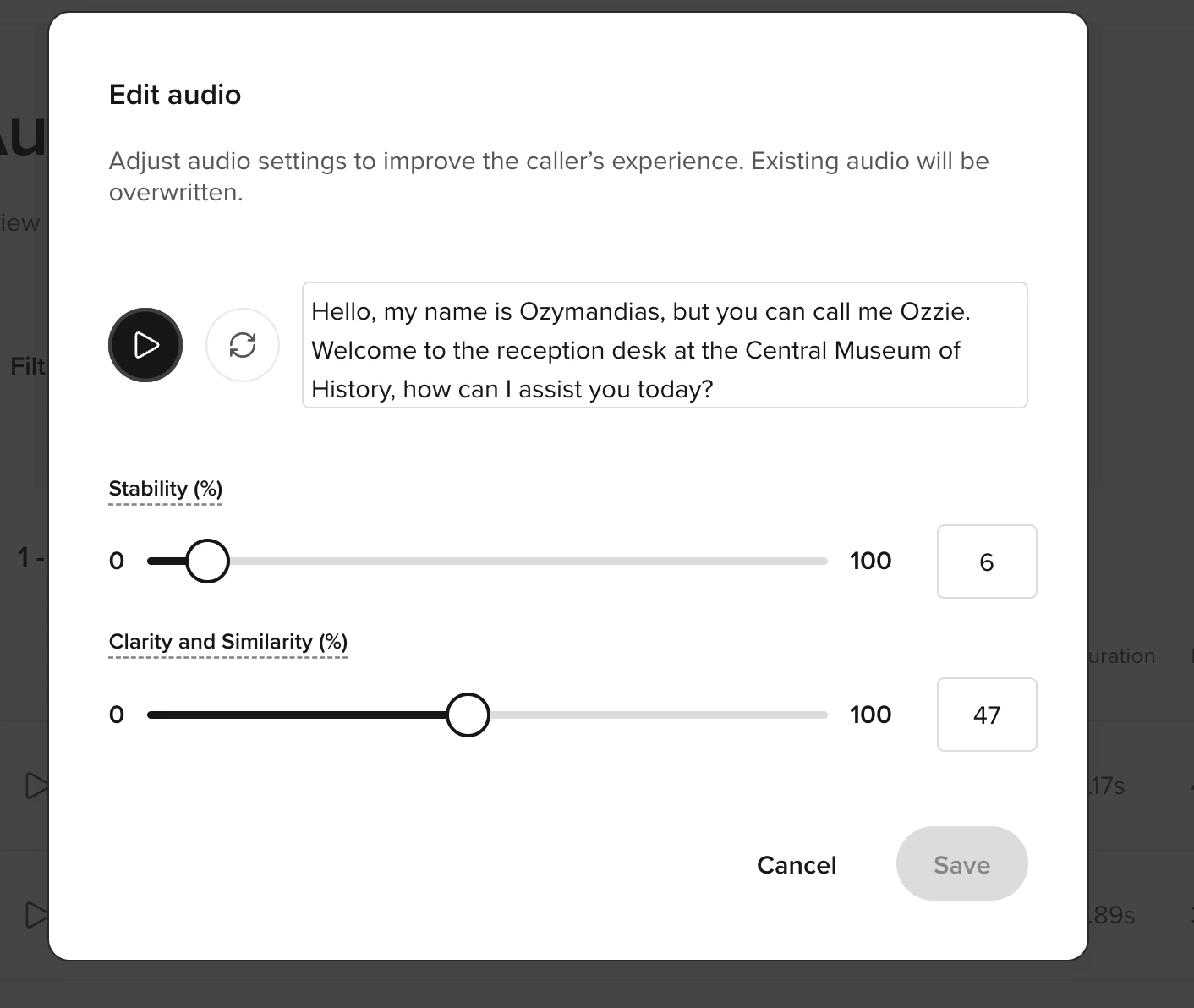
Manage audio cache via API
You can also manage the audio cache programmatically with the Agents API. The audio cache endpoints let you list cached entries, download or replace audio files, synthesize previews, and bulk-delete entries. Common use cases:- CI workflows — verify that critical prompts are cached, and fail the build if they aren’t.
- Scripted refreshes — regenerate cached audio after changing voice or tuning settings without going through the UI.
- Migrating audio between agents — list entries on a source agent, download the WAV files, and re-upload them under matching transcripts on a target agent.
- Previewing tuning changes — call Synthesize audio preview to hear how new text or
VoiceTuningConfigsettings will sound before committing them to the cache.
Audio cache endpoints are gated by the
audio_cache resource permission on the API key. read is required to list, download, or synthesize previews; write is required to delete, bulk-delete, replace an audio file, or update audio and settings. Entry IDs are numeric — requests with non-numeric IDs return 400 Invalid ID. Audio files are limited to 6 MB.