

Available models
- PolyAI Raven (Recommended)
- OpenAI
- Amazon Bedrock
PolyAI’s proprietary Raven model family is specialized for customer service across voice and chat. Raven eliminates the trade-off between speed and accuracy – delivering sub-300ms latency, fewer errors, and more natural responses than general-purpose LLMs.Raven 3.5 is the recommended model for all deployments. It supports voice and chat, 24+ languages, and has powerful auto-reasoning, out-of-domain detection, custom style following, and built-in safety.
Learn more about Raven
Full details on capabilities, supported languages, and why Raven is recommended for most deployments.
Configuring the model
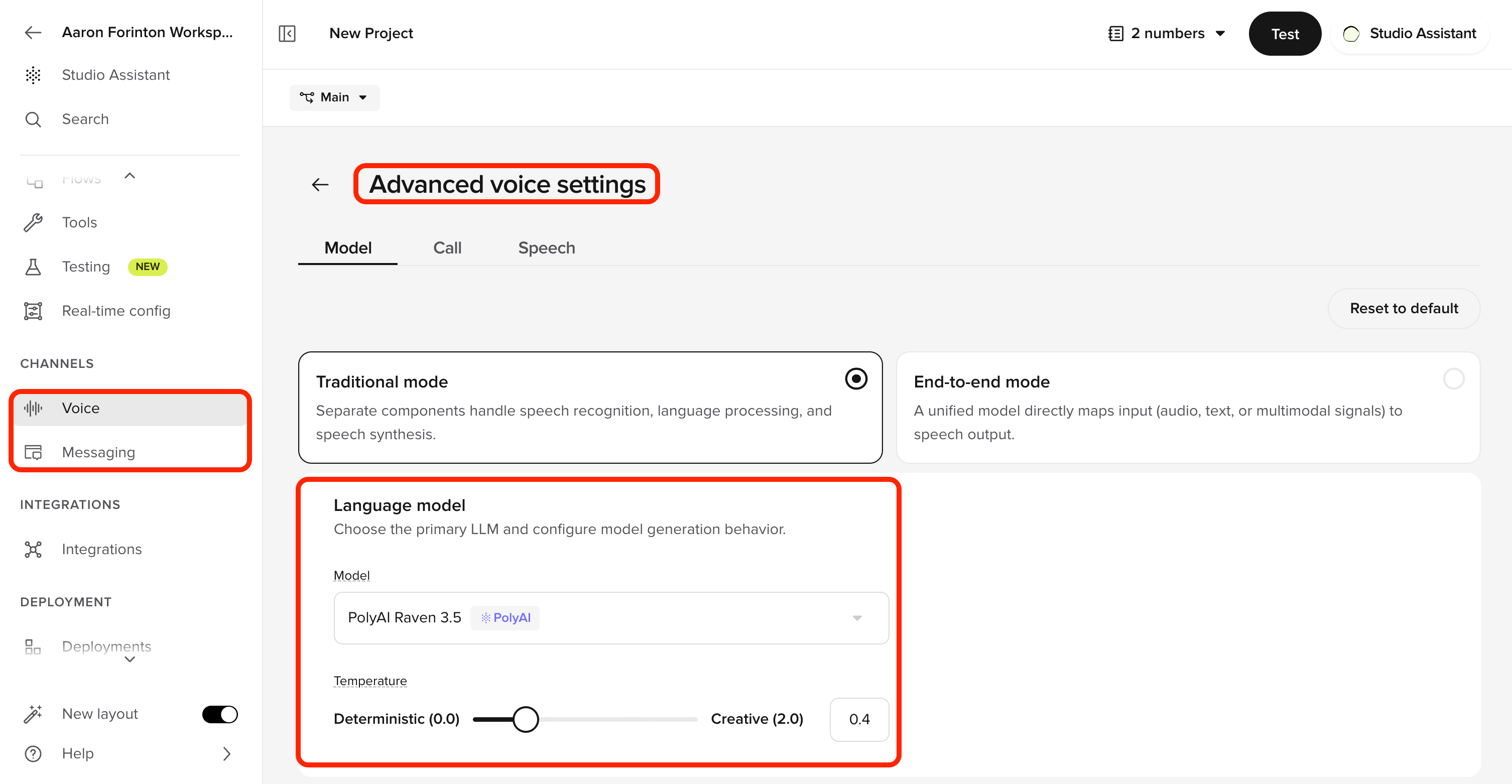
1
Open model settings
Navigate to Voice > Voice configuration or Messaging > Chat configuration to select the model for each channel.
2
Select a model
Choose the desired model from the dropdown.
3
Save changes
Click Save to apply your changes.
Related pages
Raven
Full details on PolyAI’s proprietary model family – capabilities, versions, and supported languages.
Bring your own model
Connect your own LLM endpoint to PolyAI.
Voice configuration
Select the model for your voice channel.
Chat configuration
Select the model for your chat channel.