

Review a stretch of calls
Start a review from the mode selector in the composer. Wren asks for: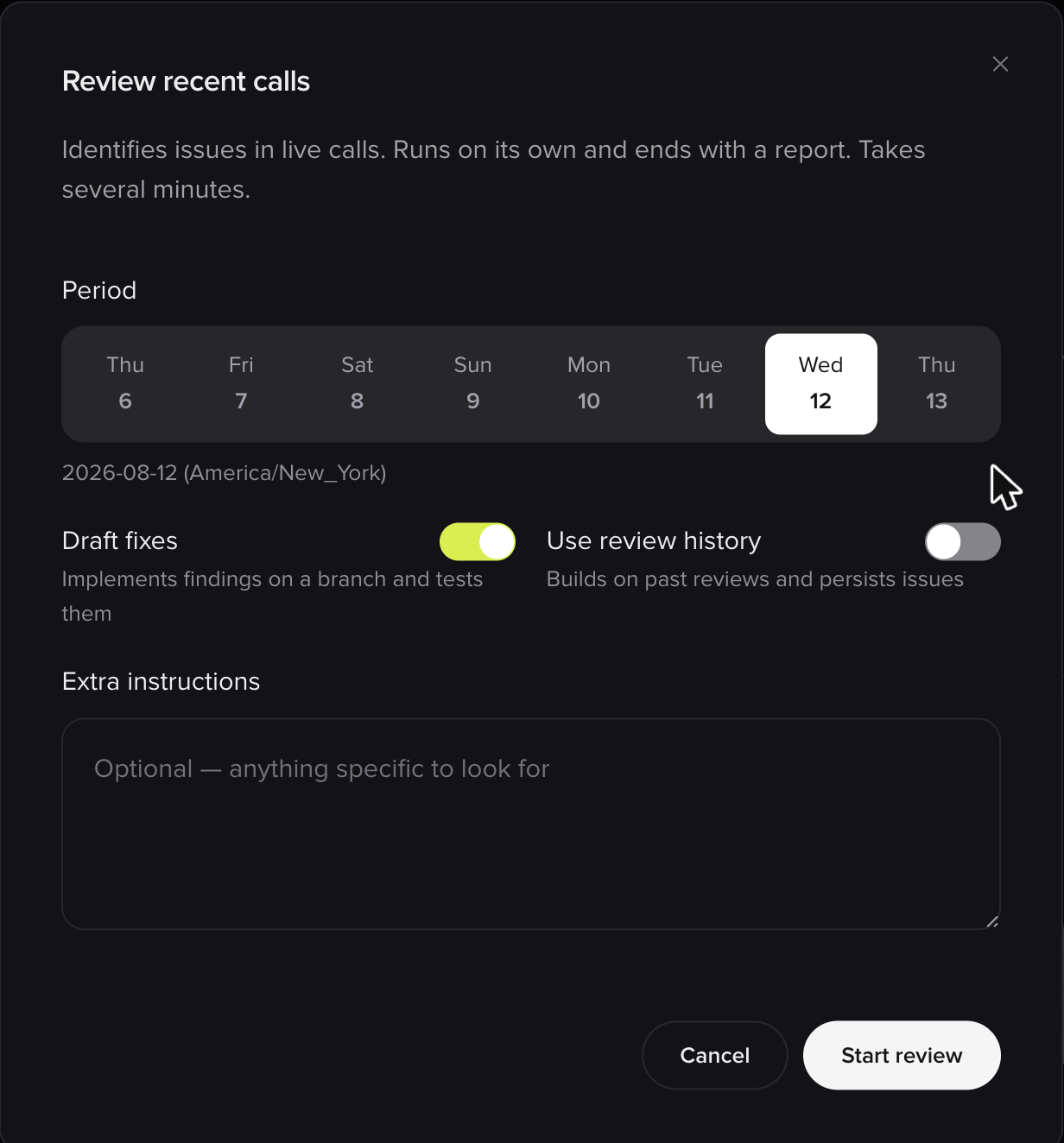
Setting up a review before it runs
Reviews always run hands-off, regardless of whether you’re in Interactive or Auto mode. That’s why the options above are set up front.
What a review produces
Wren works through your project area by area (the caller journey, the knowledge base, and everything else), and for each candidate problem it checks itself before reporting: it verifies the issue is real, and sizes how often it actually happens across the period. Each finding comes with:- What’s wrong, and which part of the project it sits in
- A type: a defect, a knowledge gap, or an opportunity
- A severity: high, medium, or low
- Evidence: how many of the sampled calls were affected, with example conversations you can click straight into
Automated review is rolling out gradually. If you don’t see it in the mode selector, ask your PolyAI contact whether it’s enabled for your account.
Continuous review
Coming soon. The features below are in development and not yet available on customer accounts. The screenshots are previews of work in progress, so the final version may differ. Ask your PolyAI contact if you’d like to hear when they land.
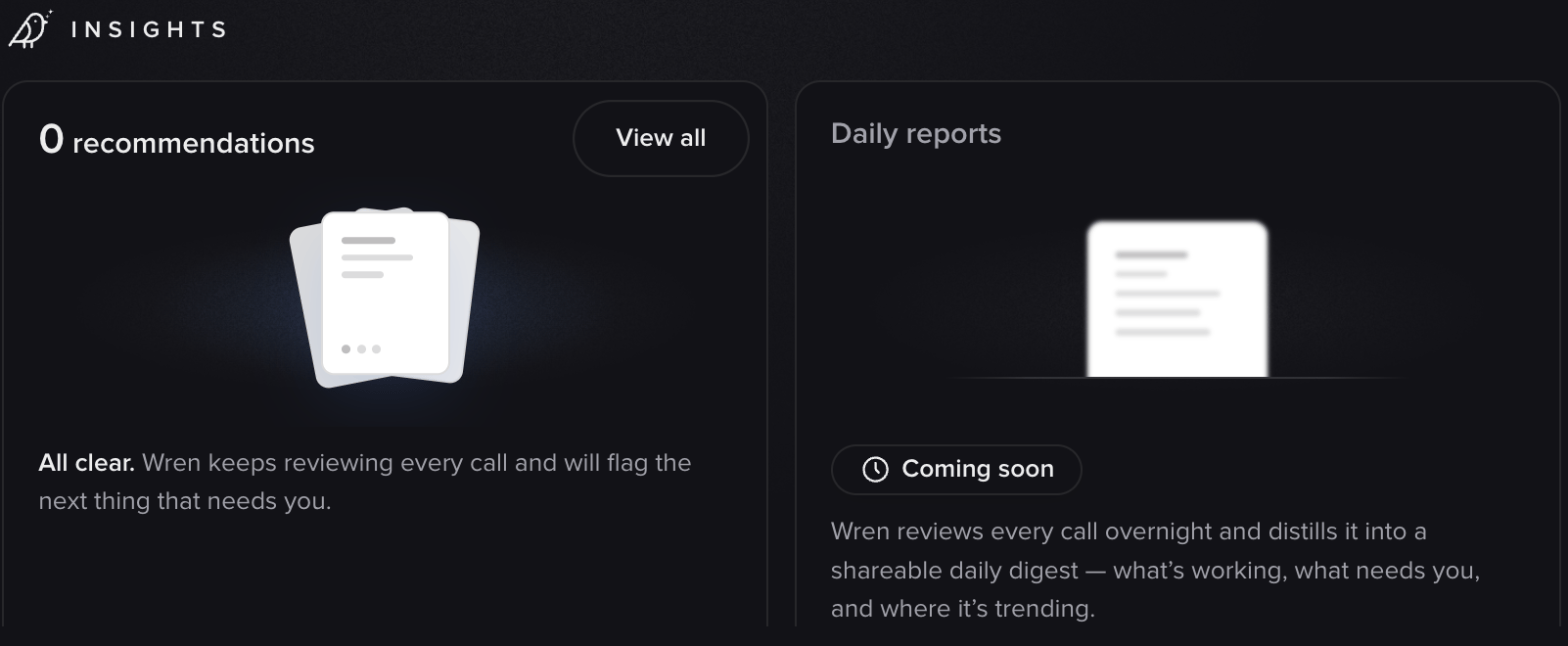
Preview: the Insights zone on the Wren home screen
Recommendations
Rather than a report you read once, findings become a standing list on your project: an inbox of things that need your attention, each one persisting until it’s resolved or dismissed. Open findings are summarized by how many are ready to act on and how severe they are.
Preview: open findings, grouped by what they need from you and how severe they are
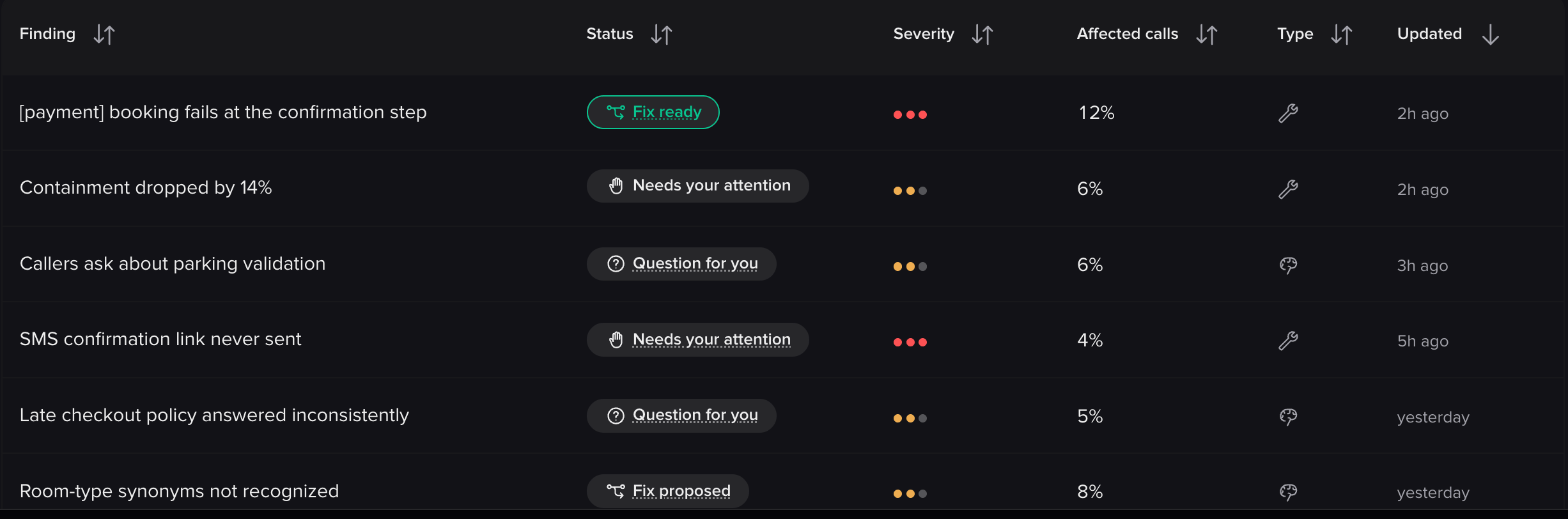
Preview: the findings list
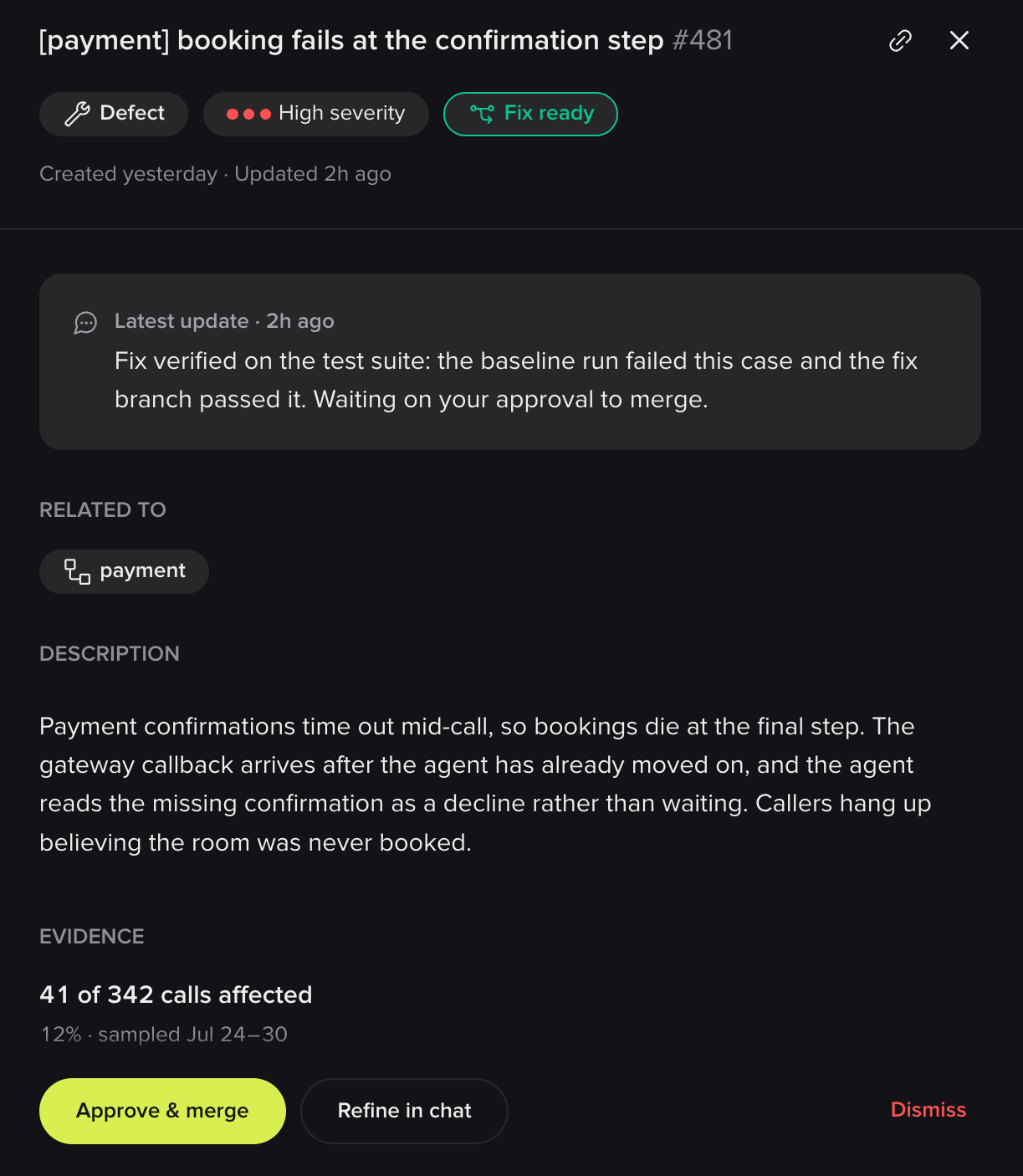
Preview: a single finding, with its evidence
- Approve and publish a fix Wren has drafted and verified
- View the diff before deciding
- Refine it in chat if the fix is close but not right
- Answer a question Wren has about your business rules, when it needs one to proceed
- Dismiss it as working as intended, already resolved, not worth addressing, or simply wrong, with the reason feeding back into what gets surfaced next
- Revert a change after the fact if it doesn’t hold up
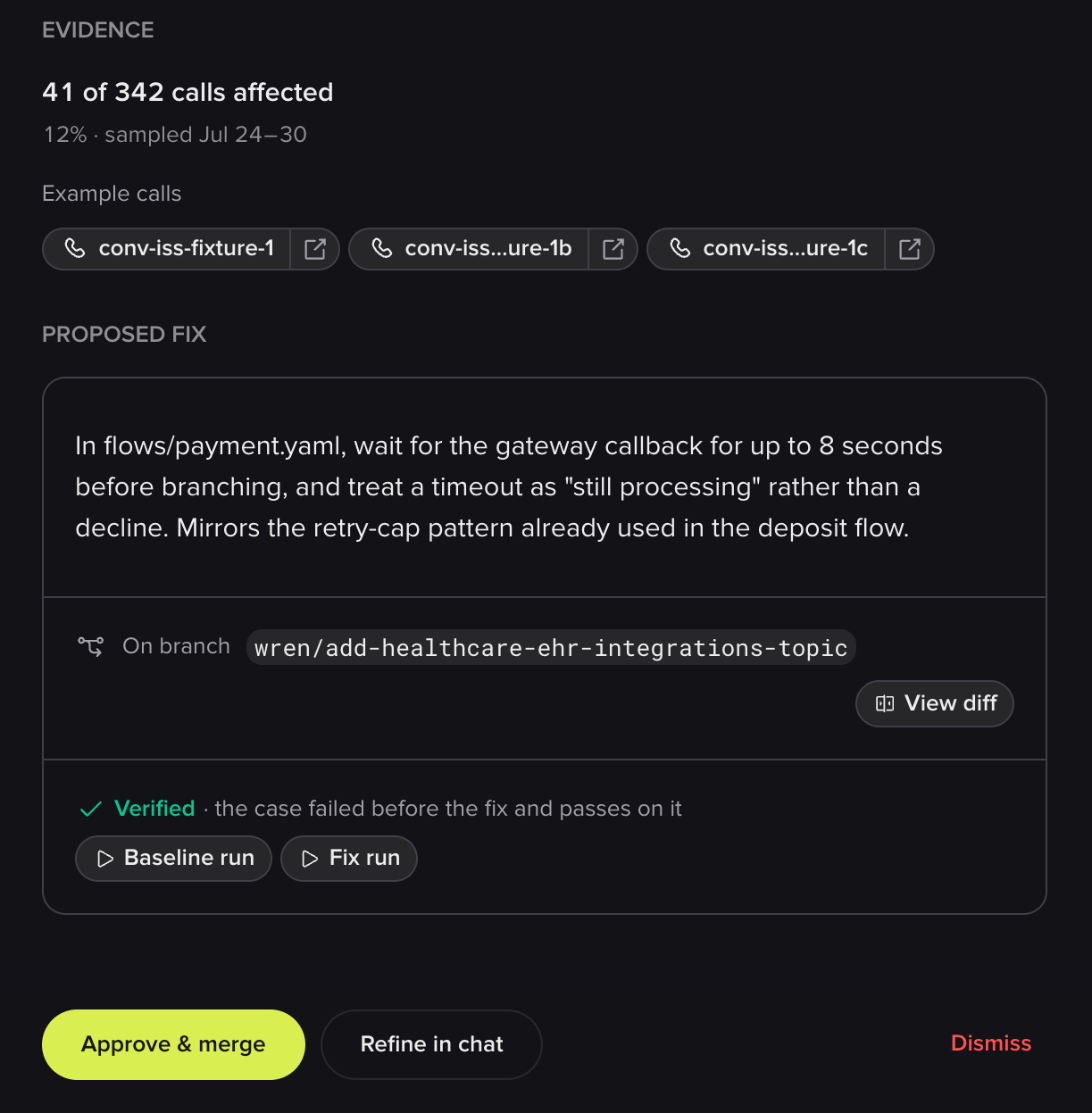
Preview: a drafted fix, verified against the test suite before you approve it
Scheduled reviews
Reviews will also run on a schedule (nightly, weekly, or on a cadence you choose) against the environment you pick, with a standing prompt. You’d arrive to a digest of what happened overnight: what’s working, what needs you, and where it’s trending.Related pages
Analyze conversations
Ask your own questions about real calls.
Conversation review
Read the calls behind a finding.
Simulation tests
Where verified fixes leave their test coverage.