

DTMF support
DTMF support
DTMF (Dual Tone Multi-Frequency) is the method phones use to turn keypad presses into audio tones that telecom systems can detect and process.You can now configure DTMF collection directly inside a flow step. DTMF is often used for collecting phone numbers, booking IDs, or confirmation codes during a conversation.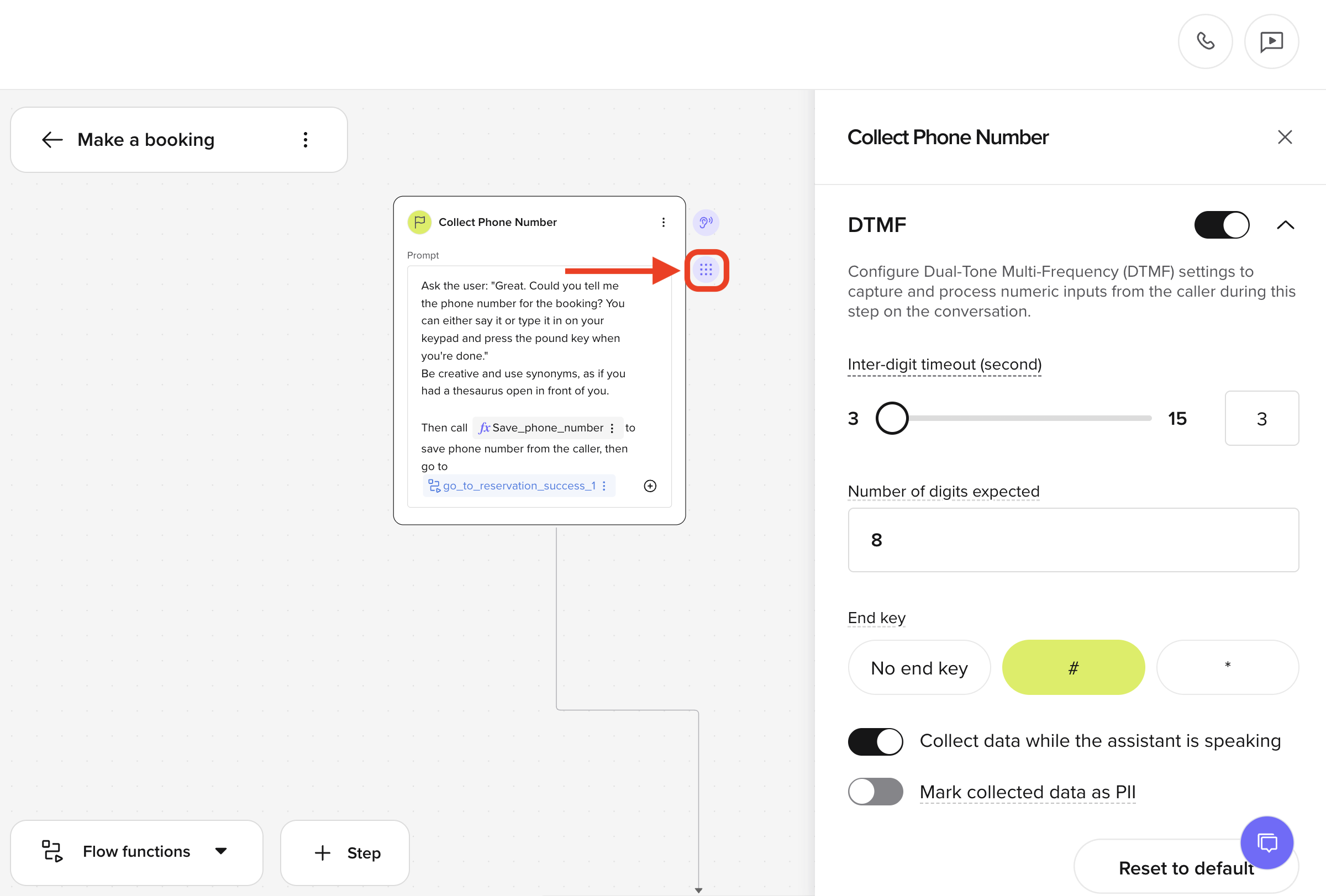
- Inter-digit timeout: Set the number of seconds to wait between key presses before timing out of the collection process.
- Number of digits expected: Specify how many digits the agent should expect.
- End key: Choose an optional key (like
#or*) to signal the end of input. - Collect while speaking: Enable data collection even while the agent is still talking.
- Mark as PII: Flag the collected value as Personally Identifiable Information.
Chat with variants
Chat with variants
Users can now test how different variants respond using a drop down in the chat panel.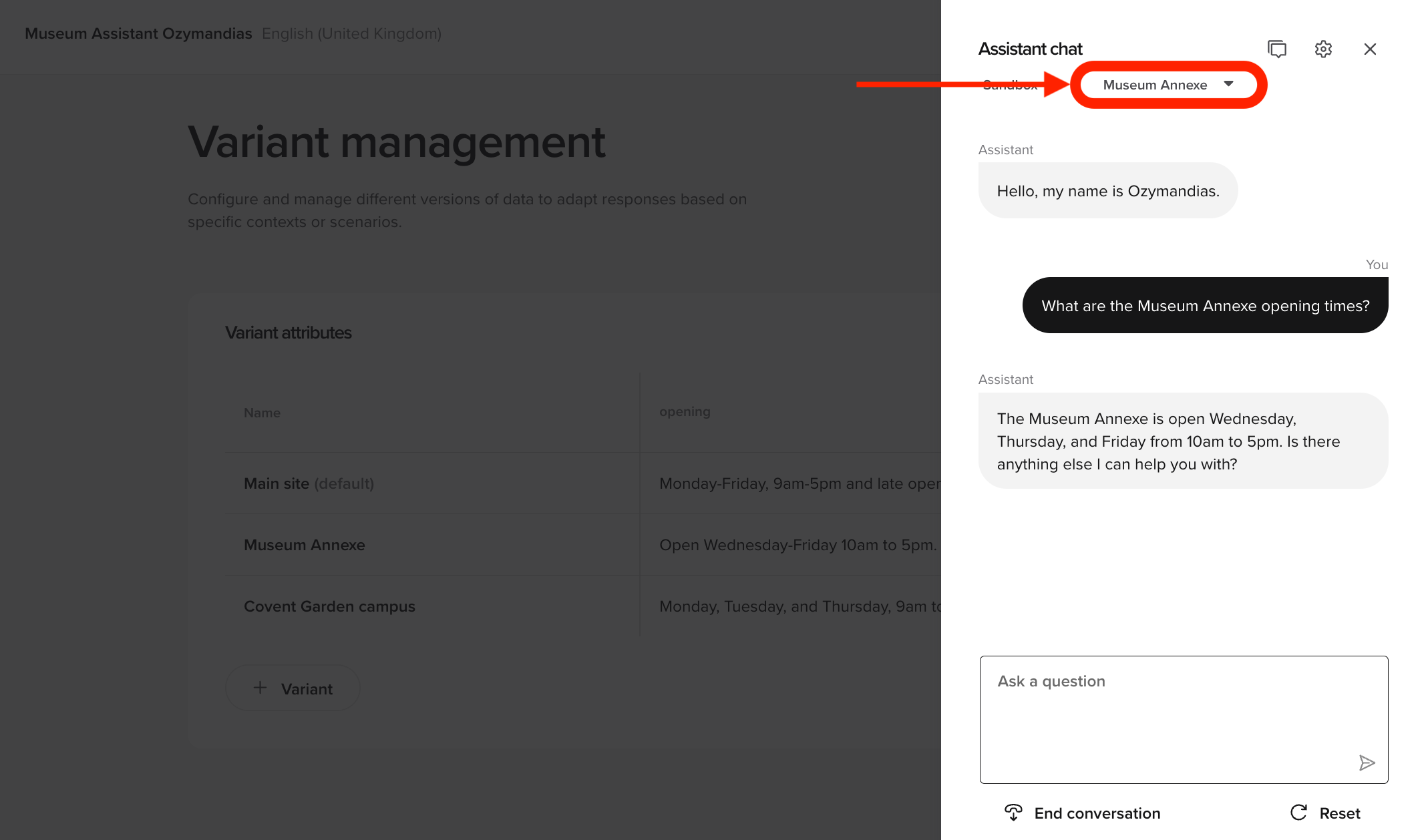
- Select a specific variant to observe differences in behavior, tone, or logic
- Easier testing
- Better confidence in how variants perform in production
Duplicate and set default variants
Duplicate and set default variants
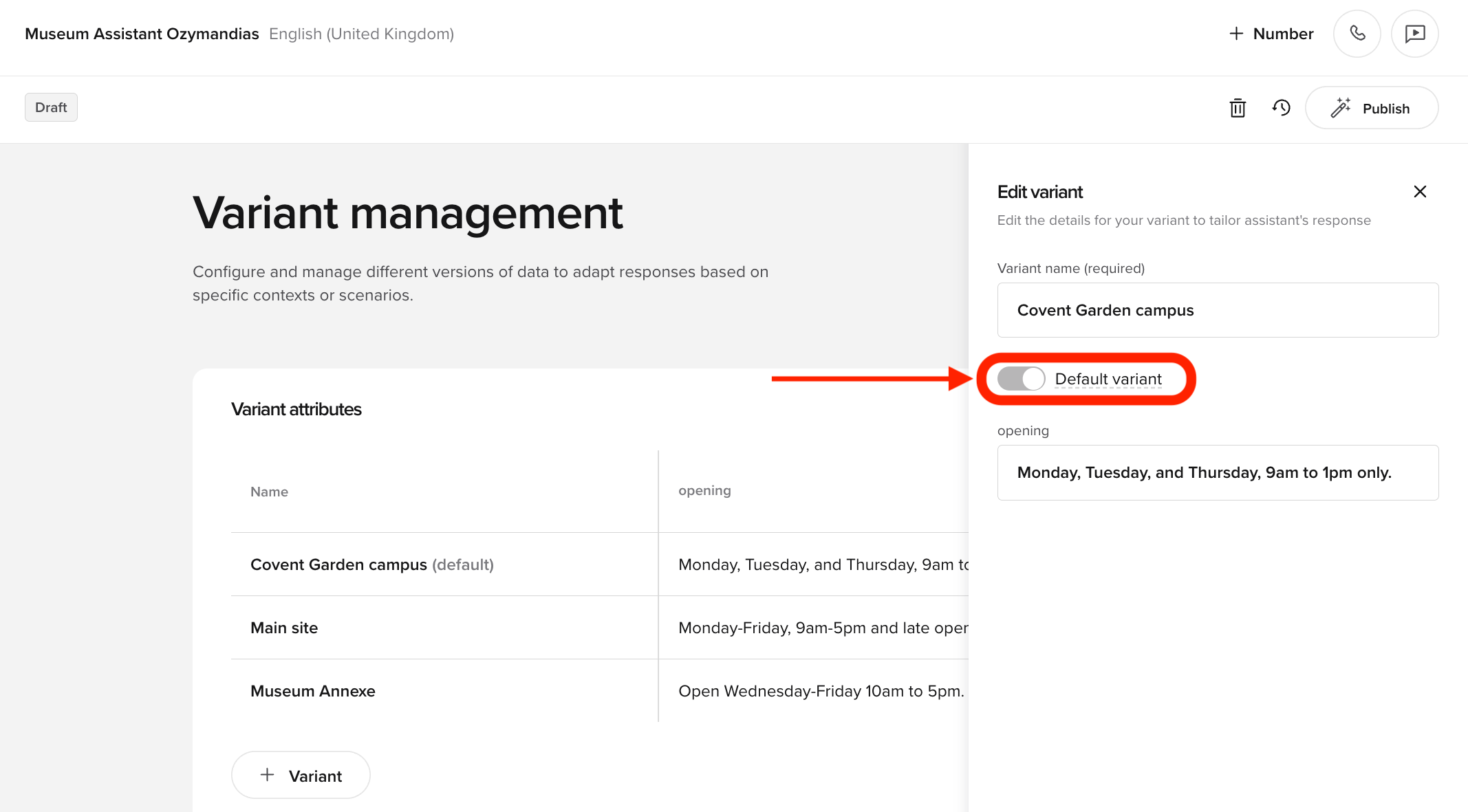
- Open the options menu to Edit or Duplicate an existing variant.
- Set a variant as default using the toggle in the side of the Edit panel.
Build KBs with URL and PDF upload
Build KBs with URL and PDF upload
You can now create new knowledge base topics by uploading a PDF or simply by providing a website URL.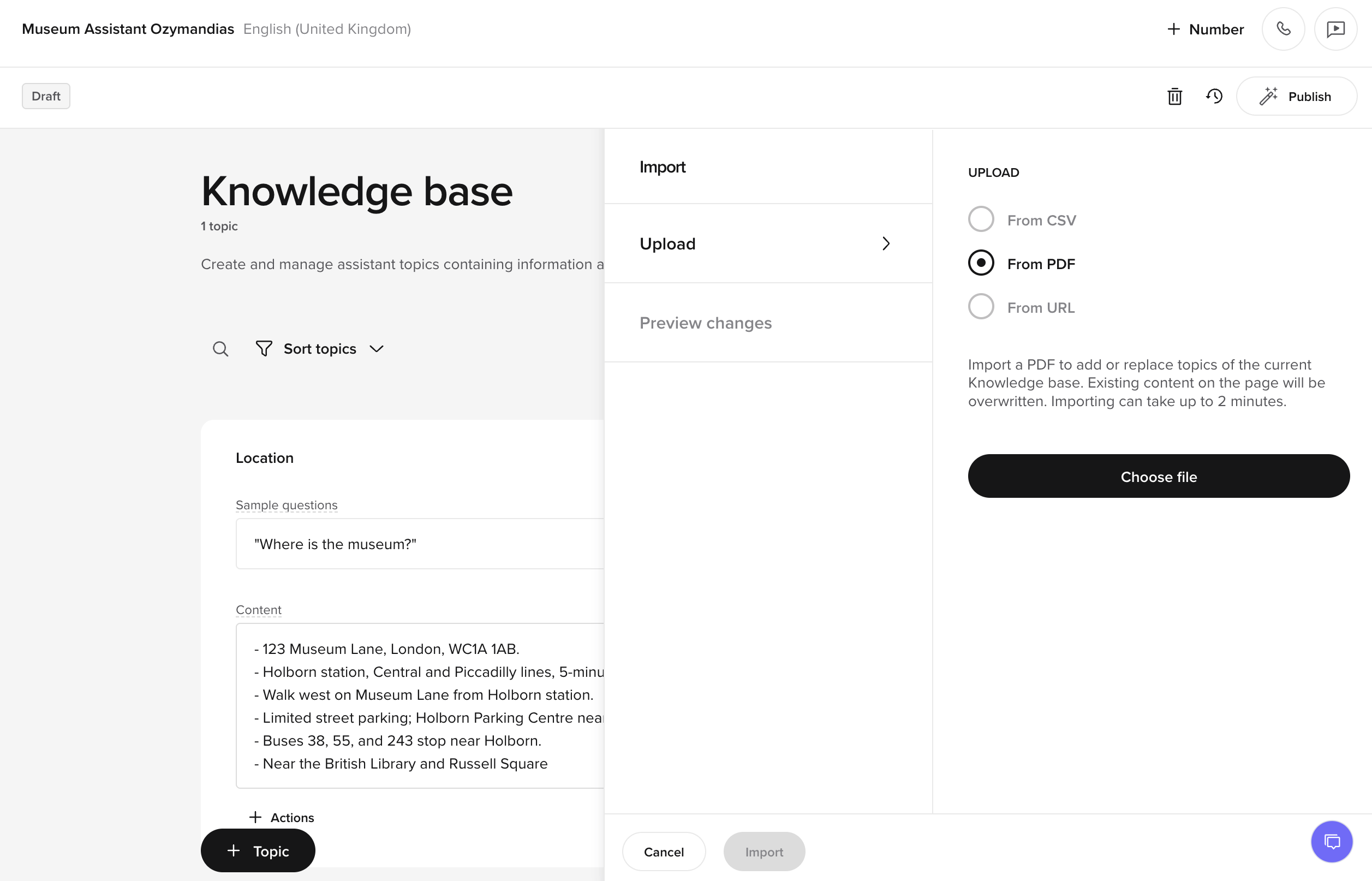
- Pulls page content from public websites
- This means you can give your agent a link to your company’s FAQ and it will generate a full draft of knowledge base topics.
- Upload PDF files to generate KB topic drafts. When creating KBs using URL import, the system will provide a real-time crawl status and error messaging if the page cannot be scraped.
Chat-to-review shortcut
Chat-to-review shortcut
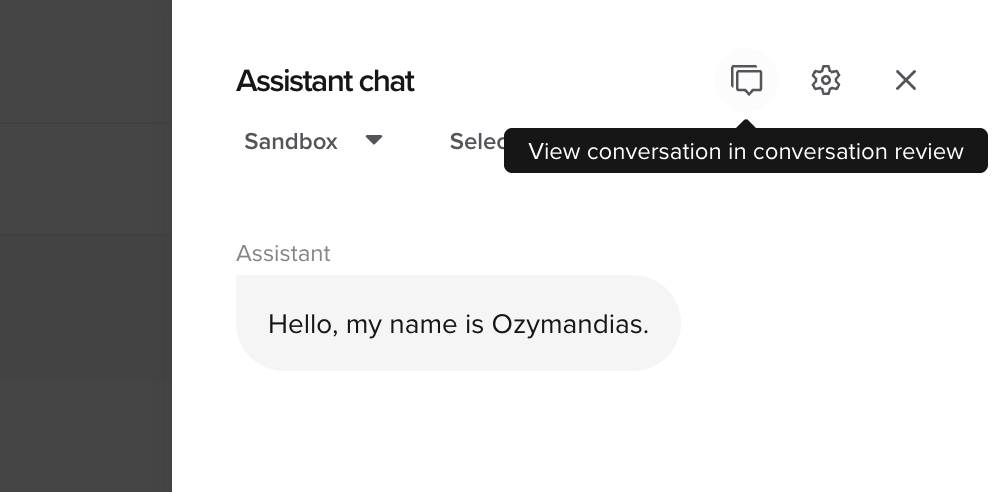
- Speeds up debugging
- Useful when testing flows or functions in studio
Handoff reason and utterance
Handoff reason and utterance
The built-in handoff template and the
Where it shows upWhy it matters
conv.handoff() helper now accept two optional, structured fields for clearer call logging and routing:| Field | Purpose | Example |
|---|---|---|
reason | Machine-readable code explaining why the call is being escalated (e.g. policy_violation, needs_human, no_availability). Surfaces in Conversation Review and the Conversations API. | policy_violation |
utterance | The exact phrase the agent should speak before initiating the transfer. Logged alongside the handoff. | ”Let me transfer you to a specialist who can help.” |
- Flows & KB Actions** – When using the
builtin-handoffaction, you can now optionally specifyreasonandutterancefields inside the action configuration (visible in the JSON behind the scenes, not in the Handoff Destination UI). - Functions – Call
conv.handoff(reason="...", utterance="...")directly in the Function Editor to trigger a handoff with these fields. - Conversation Review – Both fields appear in the metadata panel for visibility and QA.
- Conversations API – Returned inside the
handoffobject for downstream routing.
These fields do not appear in the Call Handoff UI (where you configure SIP methods, URIs, or SIP headers).
They are attached during configuration in the knowledge base fields later, and are at runtime, when the agent decides to escalate the call, where they are are logged alongside the handoff action.
- You can fine-grain routing rules in telephony or CRM systems.
- Ensures the exact agent wording before handoff is logged and auditable.
Entities and intents in Conversation Review
Entities and intents in Conversation Review
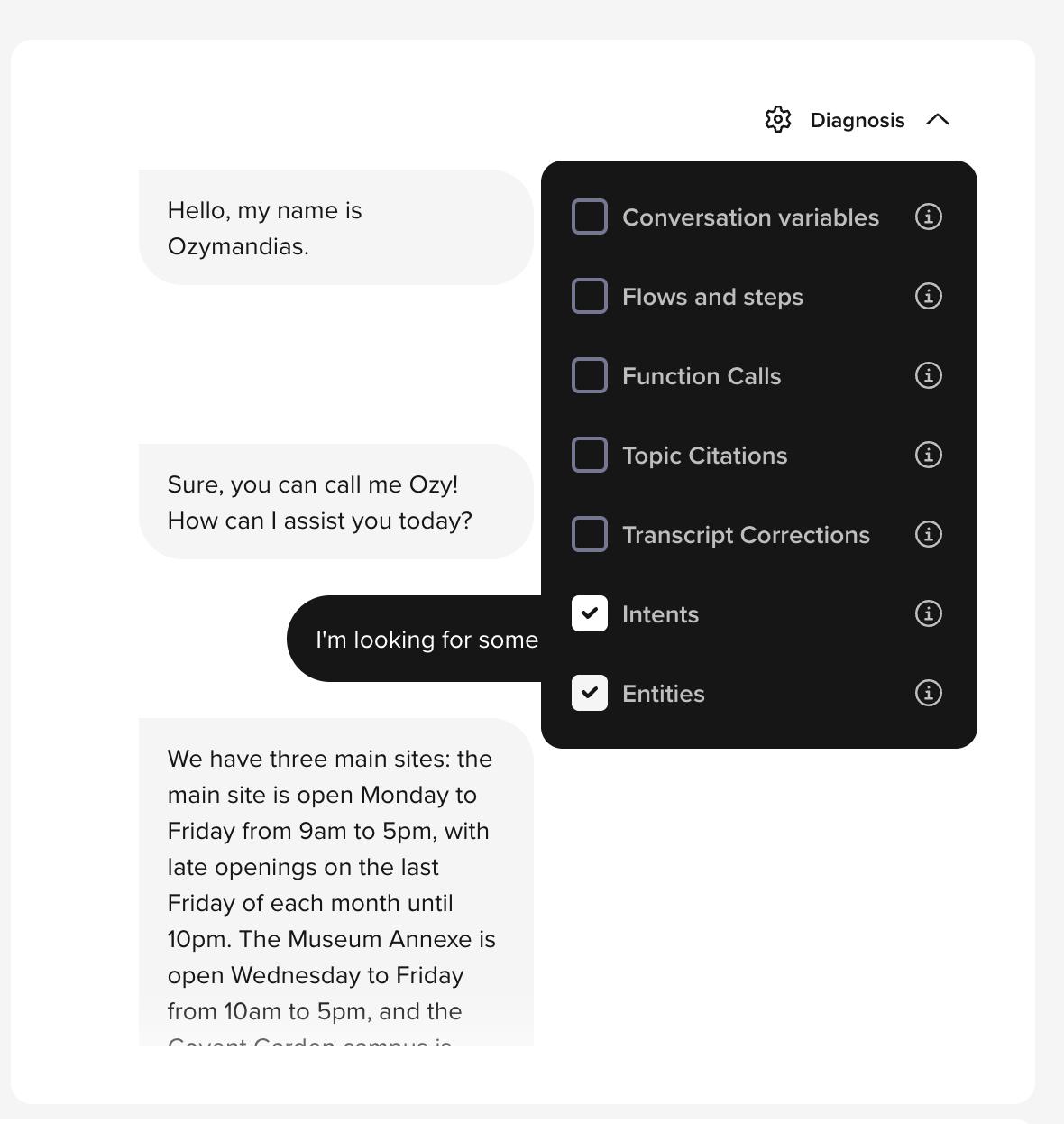
- Intents: Shows the triggered intent from the agent’s recognition model (for pre-GenAI intent-based projects).
- Entities: Lists extracted key data points, such as booking numbers, customer IDs, or locations.
Improved multi-language ASR accuracy
Improved multi-language ASR accuracy
The speech recognition engine has been updated to provide improved accuracy for several supported languages.What’s improved:
- Better recognition of numbers and dates in French, Spanish, and German.
- Reduced transcription errors in noisy environments.
- Improved support for accented speakers and regional dialects.
- Higher transcription accuracy improves agent understanding and reduces failure rates.
- Improves customer experience in multi-lingual deployments.
Conversation review: session duration filter
Conversation review: session duration filter
A new filter has been added to conversation review to allow sessions to be filtered by duration.Benefits:
- Focus on very short or very long conversations.
- Easily identify drop-offs, failures, and edge cases.