

AI Scores: score conversations against your own criteria
AI Scores: score conversations against your own criteria
Rollout date: October 2026. Available on every project.PolyScore measures conversation quality the same way for every agent. AI Scores let you measure what matters to your business, such as compliance with a policy, accuracy, or a specific outcome.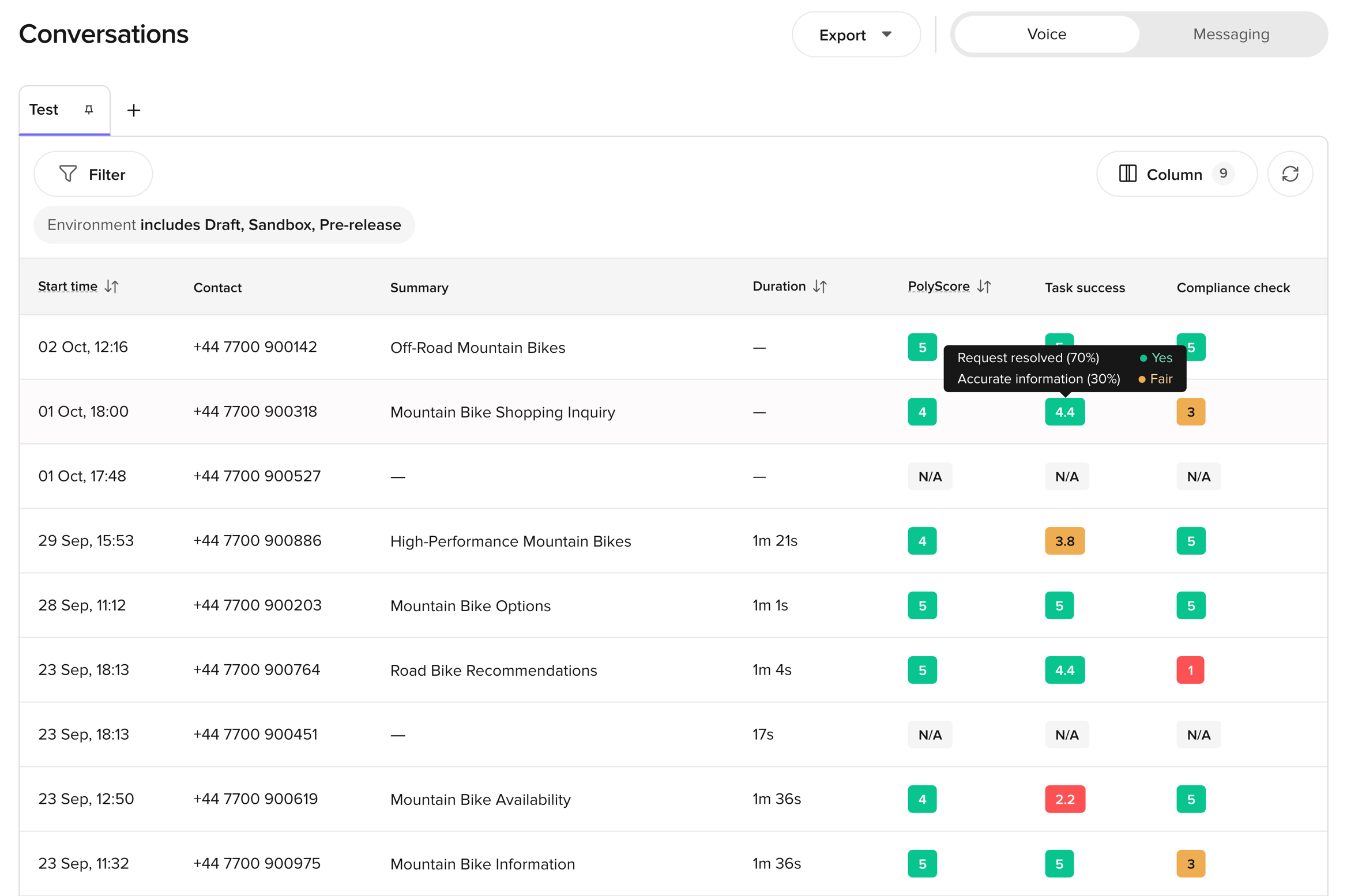
- Give the score a name and a description, and choose the channels it applies to: voice, webchat, or both.
- Add up to five criteria. Each criterion is graded Good / Fair / Poor or Yes / No, and has a weight. Weights add up to 100%.
- Optionally, add exclusion criteria to skip conversations the score doesn’t apply to.
- After each conversation ends, the AI grades every criterion from the transcript. The criteria combine into a 1–5 score, to one decimal place.
- Start from scratch or from one of six templates, including Simplified PolyScore, Compliance check, and User effort.
- Conversations — one column per active score, with the criteria breakdown on hover, a filter, and a section on the Scores tab.
- CSV export — one AI Score: <score name> column per score.
- Dashboards — chart AI Scores on self-serve dashboards. Look under AI Scores created by you in the Metric field.
- Wren — ask about AI Score averages and trends.
- Up to 10 AI Scores per project, with up to 3 active at a time.
- Only Admins can create and manage AI Scores. Anyone with Read on Conversations can see the results.
- AI Scores apply to new conversations only. Turning a score on or editing it doesn’t rescore past conversations.