

Quick reference
This page covers the UI-based Call Handoff feature. Ask if your project uses the code-level
transfer_call function.Edit an existing destination
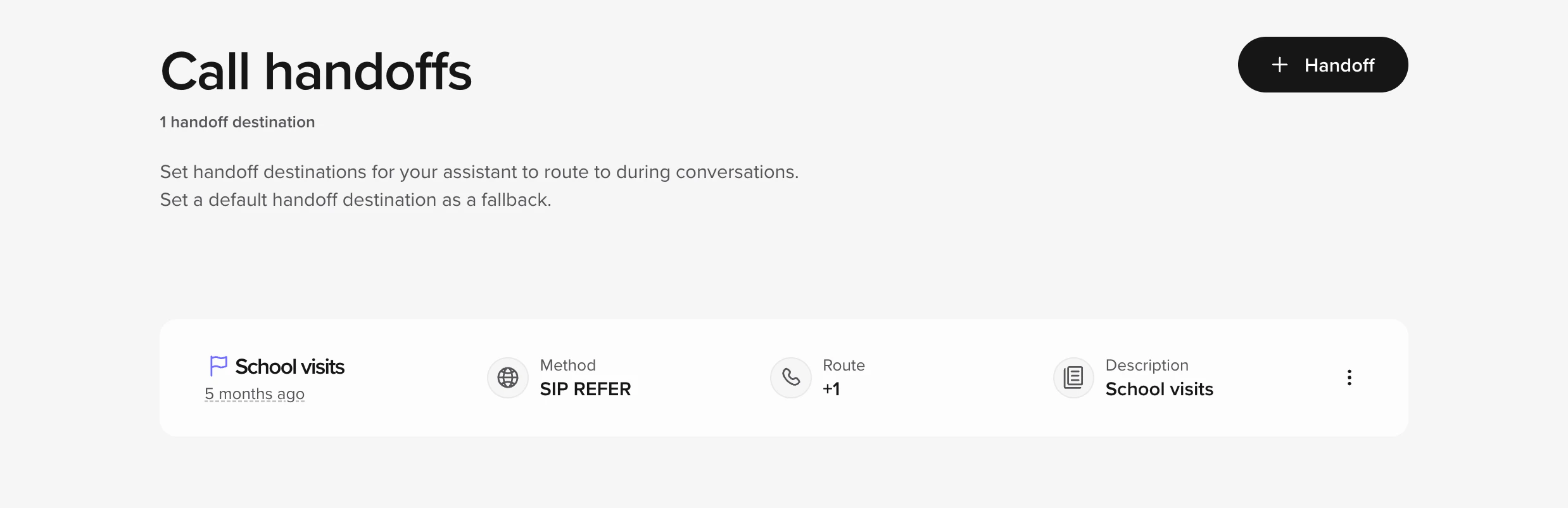
- Go to Voice > Handoffs.
- Hover over the destination you want and click Edit.
- Change the Number / SIP URI or Description.
- Save.
- Make a quick in-app test call in Sandbox and confirm the transfer works, then publish the Branch.
Add a new handoff destination
- Click Add handoff.
- Fill in:
- Name – e.g. “VIP host desk”.
- Method – leave SIP REFER unless your telephony team says otherwise.
- Route / Number –
+1XXXXXXXXXXor a SIP URI. - (Optional) SIP headers if your PBX needs extra context (see next section).
- Add → test → publish.
Add SIP headers (optional)
SIP headers let you pass metadata – account ID, language, VIP flag, etc.- While creating or editing a destination, click Add SIP header.
- Enter a header name (custom headers start with
X-). - Enter a value, or use a variable such as
$caller_id. - Save.
Using your own Twilio number
If you bring your own Twilio DID:- Connect Twilio under Voice > Numbers > Twilio (enter Account SID + Auth Token).
- In Twilio, point the number’s Voice webhook at your agent URL.
- Back in Voice > Handoffs, use that number as the Route field.
Test before you ship
- Make an in-app call in Sandbox, or move the Branch to Staging and call the Staging number.
- Trigger the scenario that should transfer.
- Confirm the call operates how you are expecting.
- Publish the Branch to Live.
- Number format (+ and country code)
- Firewalls or other rules on the destination side
- SIP header spelling
Common workflows
Updating after-hours routing
- Identify which handoff destination handles after-hours
- Update the phone number or SIP URI
- Test in Sandbox during and after business hours
- Publish to Live
Adding a new department handoff
- Get the phone number or SIP URI from the department
- Add new handoff destination with clear name
- Update FAQs to reference the new handoff
- Test the full flow in Sandbox
- Publish to Live
Related pages
- Call handoff overview - Complete handoff documentation
- Twilio integration - Twilio setup guide
- Function-based transfers - Code-level transfer control
- Branch management - Test in a Branch, publish to Live, roll back
When to escalate
- You need more conditional logic than the UI can express
- The destination uses a non-standard SIP method
- You are seeing 4XX/5XX SIP errors