

Languages are now managed directly in Agent Studio. This replaces the older
start_function approach and one-project-per-language setups.Setting up multi-language support
1
Add languages
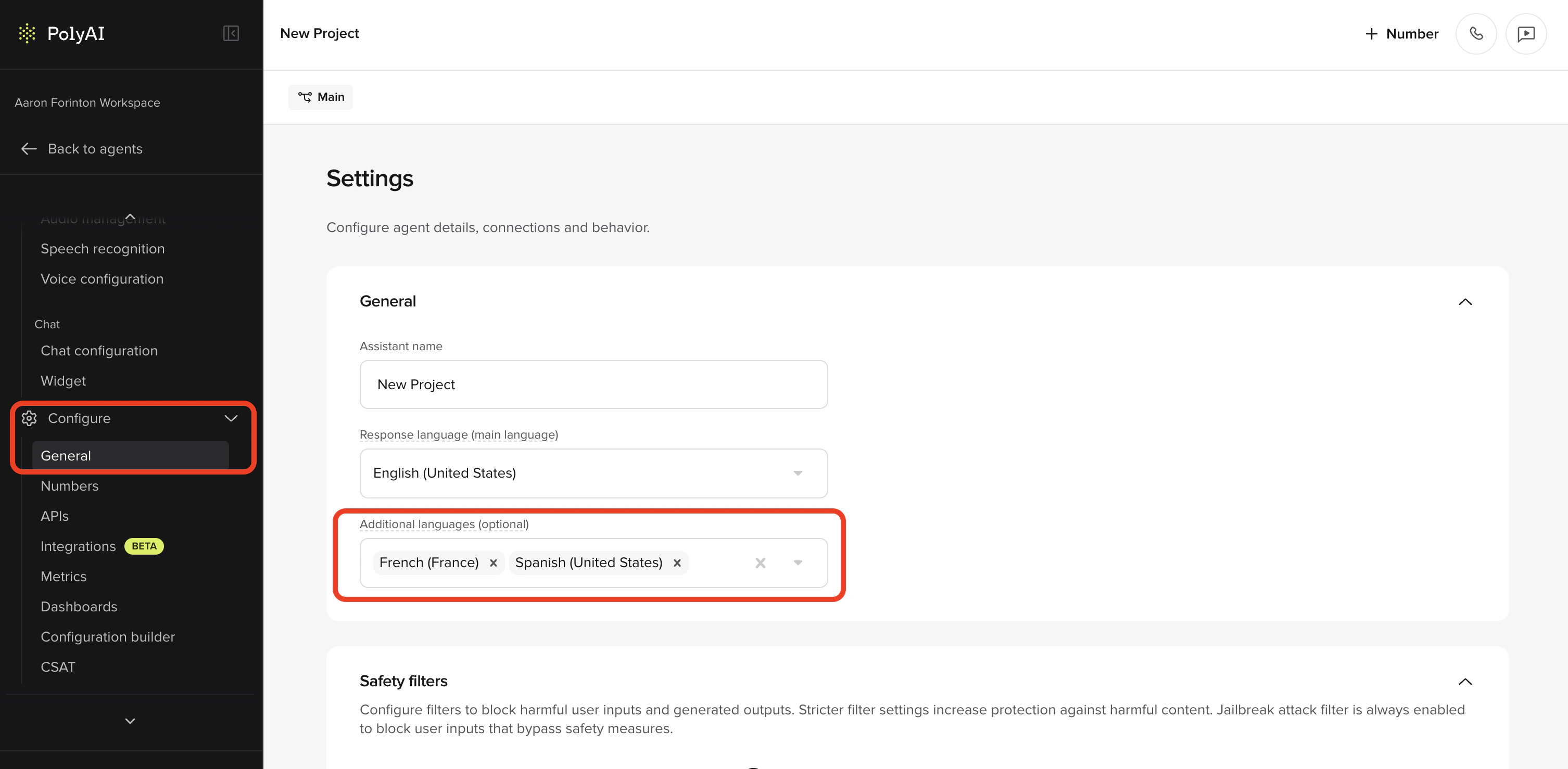
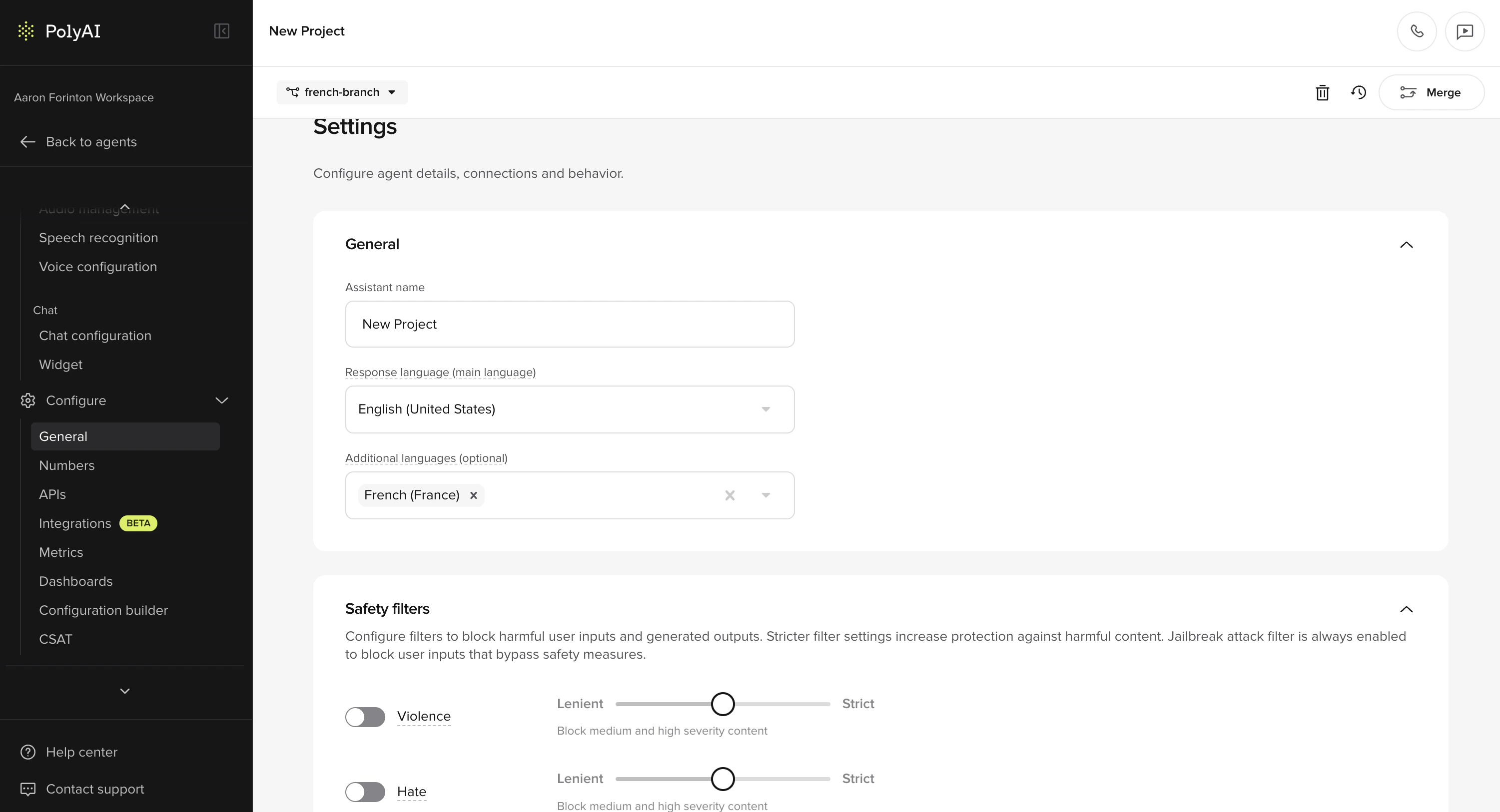
Go to Behavior and find the Additional languages field. Select up to 10 additional languages from the dropdown. The Response language set during project creation becomes the main language.
2
Configure voices per language
Each language has its own voice configuration. Go to Voice > Settings where you’ll see a voice card for each configured language. The main language card is tagged as “Main language”.
- Select a voice for each language from the Voice Library
- You can configure separate voices for Agent voice and Disclaimer per language
- Multi-voice is supported per language, so you can assign multiple voices to a single language
3
Add translations (optional)
If you need manual translation overrides for specific content, use the Translations page under Behavior > Language.
4
Test in Agent Chat
Use the language dropdown in Agent Chat to select a language and test your agent’s behavior in each configured language.
Supported languages
PolyAI supports 73 response languages for multilingual agents, covering the full union of languages officially supported by the underlying LLM providers. Pass the BCP 47 code (e.g.es-ES) when setting the language in the UI or via conv.set_language().
Full list of supported languages and codes
Full list of supported languages and codes
Serbian uses
sr-RS (Republic of Serbia). If you were previously using the non-standard sr-SP code, update your project configuration to sr-RS.How multilingual agents work
Multilingual agents can:- Detect the caller’s language automatically with ASR
- Switch languages mid-conversation if the caller changes language
- Automatically switch voices when the language changes, if a voice is configured for that language
- Maintain language-specific knowledge using language variants on FAQs
- Filter content by language using
<language:xx>tags in prompts - Handle mixed-language queries (code-switching)
Auto voice switching only works for the main language and configured additional languages. If the conversation changes to an unsupported language, the voice stays the same.
Forcing a language by dialled number (DNIS routing)
If you serve different markets on different phone numbers and want to bypass auto-detection, set the language explicitly instart_function based on conv.callee_number (the number the caller dialled).
The language you pass to
conv.set_language() must already be added under Behavior > Additional languages (or be the main language). If the code is not configured on the project, the agent falls back to the default language."es-ES", "en-US", "fr-FR"), not the short form ("es", "en"). See conv.set_language and conv.callee_number for the full reference.
Configuring voices per language
When multilingual support is enabled, the Agent Voice page shows separate voice sections organized by language.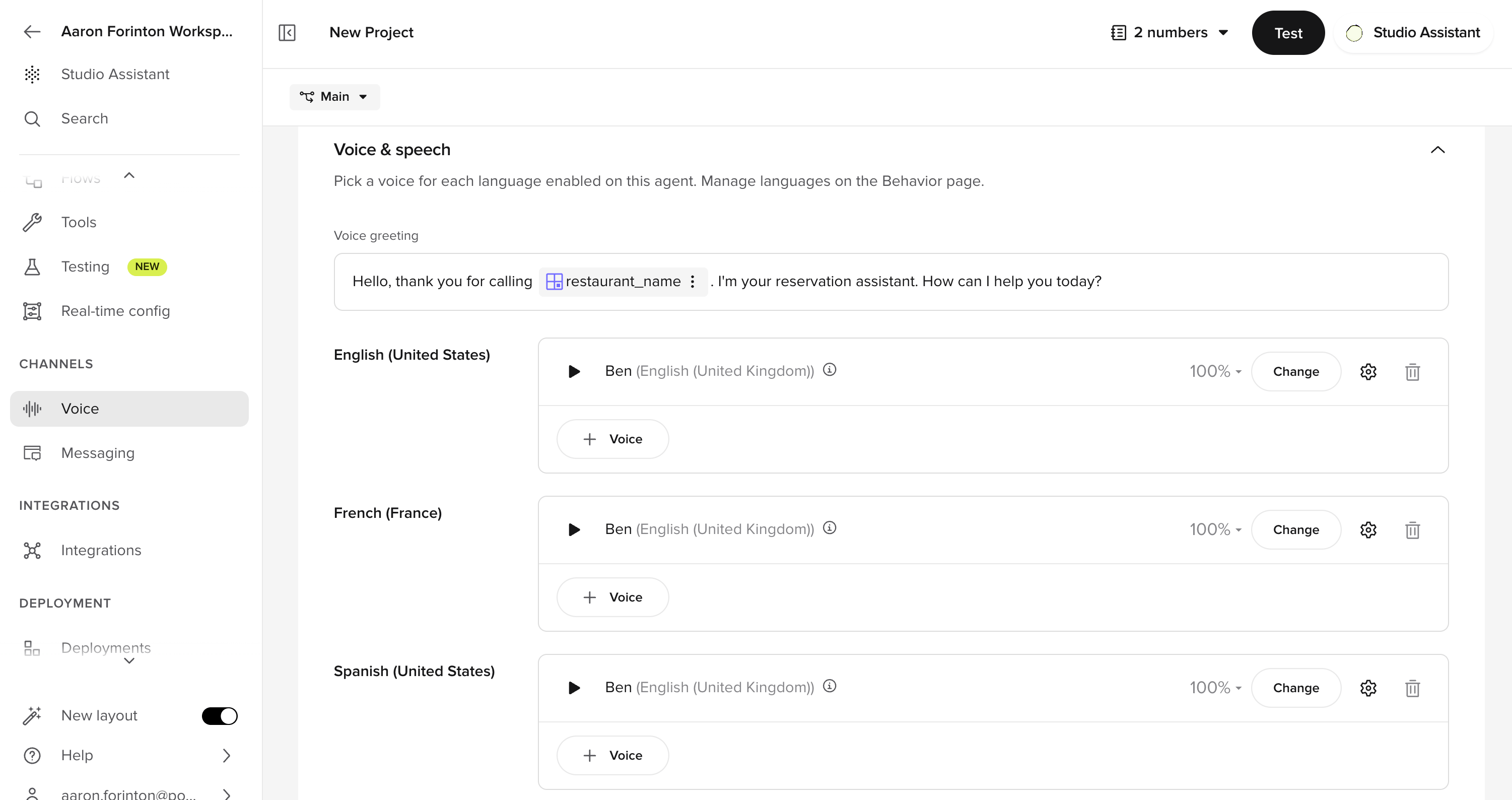
- Go to Voice > Settings
- You’ll see an Agent tab and a Disclaimer tab
- On the Agent tab, each language has its own voice card
- Click into a language card to select or change the voice
- To assign multiple voices to a language, add them from the voice card – multi-voice is supported per language
- Use native voices – don’t use an English voice for Spanish
- Match regional accents – use Mexican Spanish for Mexico, Castilian for Spain
- Test pronunciation for language-specific characters
- Multilingual TTS models are convenient but may have slightly lower quality than language-specific models
Conditional content filtering
Use<language:xx> tags to serve language-specific content within a single prompt, without needing separate variants:
Closing tags are always plain
</language> (or </channel>) – never </language:en>. The closing tag matches the most recently opened tag.- Behavior rules
- FAQs content
- Flow steps
- Function descriptions
Language variants on FAQs
FAQs support language variants so you can manage multilingual knowledge base content within a single agent. Each topic can have language-specific versions of its content and sample questions.- Go to Knowledge > FAQs
- Create or edit a topic
- Add language variants for each supported language
- Translate sample questions and content for each variant
Language-specific pronunciation rules
Pronunciation rules in Advanced voice settings are organized by language. Each language has its own set of rules, displayed as separate collapsible cards. Rules within a language card only apply to responses in that language. Rules with no language specified apply globally.What to translate
Some project content needs translation, and some does not:General rules
- Keep instructions in English (e.g., “Ask for the user’s phone number”)
- Translate example utterances or scripted responses
- If it’s directed at the agent, keep it in English. If it’s going to be spoken aloud directly to the customer, translate it.
Ask the user for their number by saying "¿Me puedes dar tu número de teléfono?"
Function examples
If you’re using a function with a hard-coded response, translate the user-facing string:Accessing the current language in functions
You can access the caller’s detected language in functions:Accessing translations in functions
For hard-coded utterances that need language-specific versions, use the translations object:Testing multilingual agents
The Agent Chat panel includes a language dropdown that lets you select a language to test with – similar to how you select variants.- Open Agent Chat
- Select a language from the dropdown (defaults to the main language on the first turn)
- Interact with your agent and verify it responds correctly
- Switch languages mid-conversation to test detection and voice switching
Reviewing multilingual conversations
Language information surfaces across Agent Studio so you can review and filter multilingual traffic:- Conversations table – add the Language column from the Column menu to see which language was used in each conversation, then sort or scan for patterns.
-
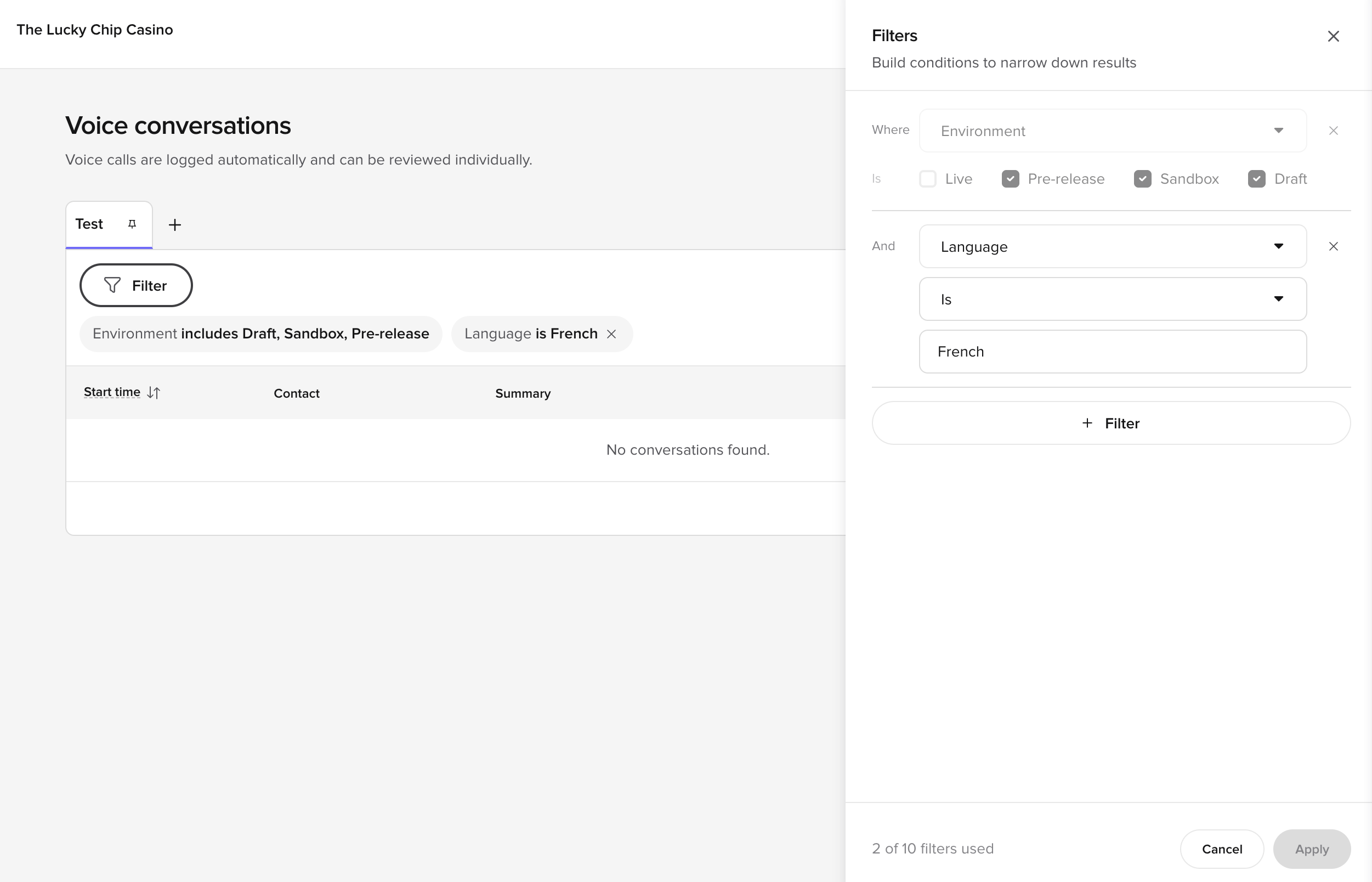
Filter by language – open Filter and add a
Language is …condition to narrow the table to a specific language. The condition shows as a chip above the table and can be saved into a Custom View.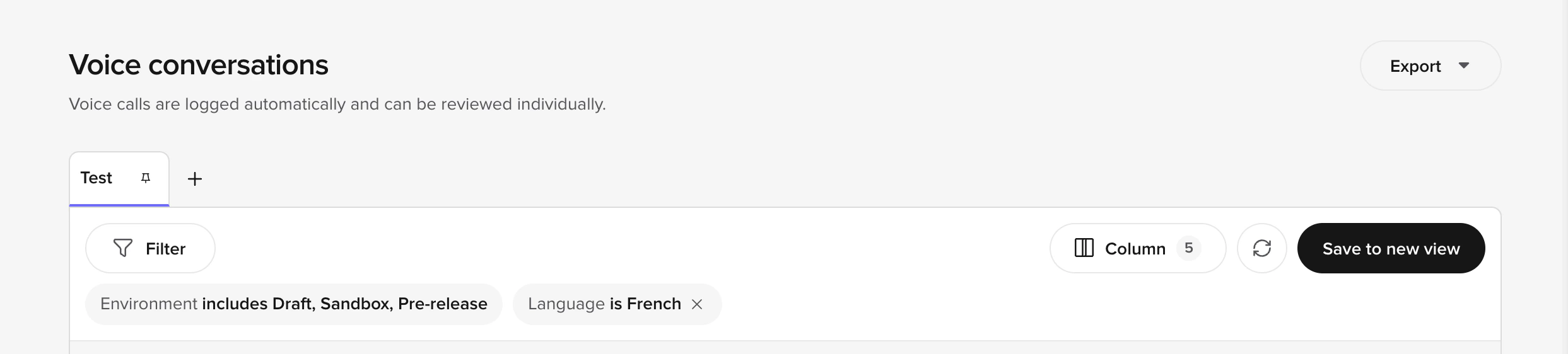
- Review side panel – the panel header shows the detected language for the conversation, and per-turn language information appears alongside the transcript when the agent switched languages mid-call.
- Audio management – cached audio files include language metadata so you can identify and manage TTS audio per language.
Related pages
Translations
Manually override auto-translations for specific content in your agent’s responses.
Multi-language updates
Maintain and optimize your multilingual agent over time.
Voice Library
Browse and select voices per language for your agent.
Pronunciations
Configure language-specific pronunciation rules for natural speech.