

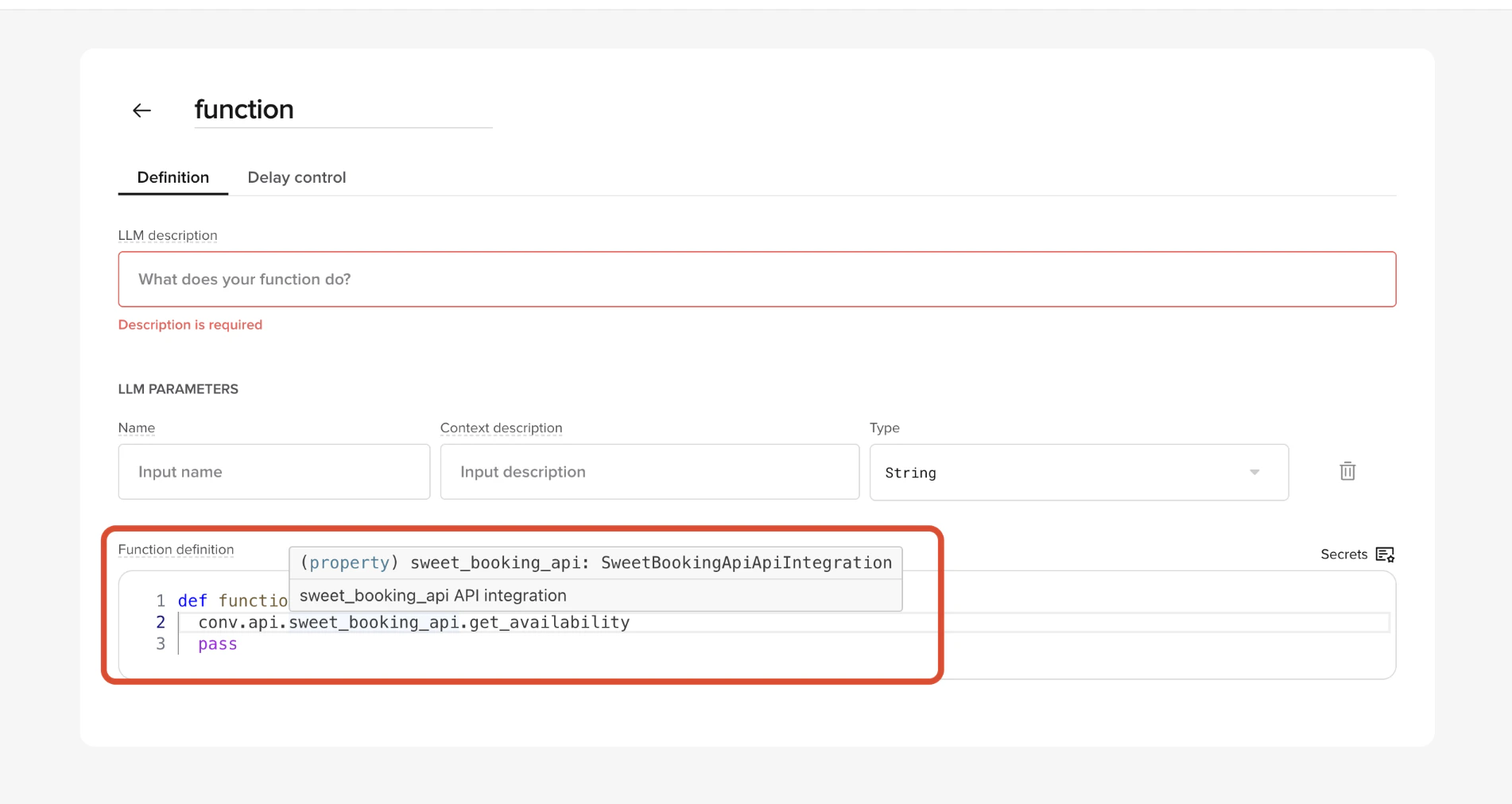
This page requires Python familiarity. It covers calling APIs from Python functions using
conv.api.conv.api when your function needs to call an external service – CRM lookups, booking systems, payment providers. API definitions (base URLs, auth, operations) are configured in the APIs tab in Agent Studio; your function code stays clean and environment-safe.
How it works
-
You define an API in Agent Studio → APIs
- Name
- Base URL (per environment)
- Auth type
- One or more operations (method + resource path)
- Agent Studio generates a client at runtime.
-
Inside a function, you call it via:
conv.api.<api_name>.<operation_name>(...)
Naming rules
- API name in the UI becomes the client name under
conv.apisweet_booking_api→conv.api.sweet_booking_api
- Operation name becomes the callable method
create_booking→conv.api.sweet_booking_api.create_booking()
snake_case names to keep calls readable.
Basic example
API defined in UI:- API name:
sweet_booking_api - Base URL:
https://api.sweets.example - Operation:
- Method: POST
- Operation name:
create_booking - Resource:
/bookings
Path variables
Path parameters defined in the resource can be passed positionally or by name. Resource:/bookings/{booking_id}
Both of these are valid:
Query parameters
Use theparams argument for query string parameters.
Request body
Usejson (recommended) or data depending on the API.
Custom headers
You can pass additional headers at call time.Responses
The return value is a standard HTTP response object. Typical fields you’ll use:response.status_coderesponse.json()response.text
Error handling
Always check status codes explicitly. Recommended pattern:Logging API responses
For debugging and review, log responses explicitly withconv.log_api_response().
- Conversation Review → Diagnosis
- Conversations API
Grouping by URL pattern
Passoverride_url when the real URL contains high-cardinality path variables (IDs, tokens) so calls group cleanly in analytics.
override_url, each booking ID would log as a distinct URL.
Environment awareness
The same function code runs across environments.conv.api automatically uses:
- Sandbox base URL in Sandbox
- Staging base URL in Staging (
pre-releasein code) - Live base URL in Live