> ## Documentation Index
> Fetch the complete documentation index at: https://docs.poly.ai/llms.txt
> Use this file to discover all available pages before exploring further.
# PolyAI documentation
> Build agents ready for real customer conversations.

## Welcome to PolyAI
These docs will help you build a voice or chat agent that can handle real customer interactions — bookings, billing questions, escalations, and more.
**What you're working with:**
* **Production-ready by default.** The same platform powers agents for some of the world's largest brands, and is now available to you.
* **Fast, multilingual conversations.** Powered by [Raven](/agent-settings/raven), our proprietary LLM, with sub-300ms responses across 24+ languages.
* **Three ways to build.** Configure an agent visually in [Agent Studio](/get-started/introduction), develop from the terminal with the [ADK](/extend/adk), or manage everything programmatically through the [REST APIs](/api-reference/introduction).
* **Safe to iterate.** Every change is deployed to a [shareable test environment](/widgets/test) before it can be promoted to production.
New to the platform? Begin with the [quickstart](/get-started/quickstart) to build a working agent in under 10 minutes.
PolyAI's Agentic Dialog Platform is self-serve. Use Agent Builder to describe the agent you want and get a working version you can iterate on.
# Build a voice agent
Describe your use case to [Agent Builder](https://studio.poly.ai/) and it configures the flows, knowledge, and voice for you. Test the result in a shared preview, then embed it on your site.
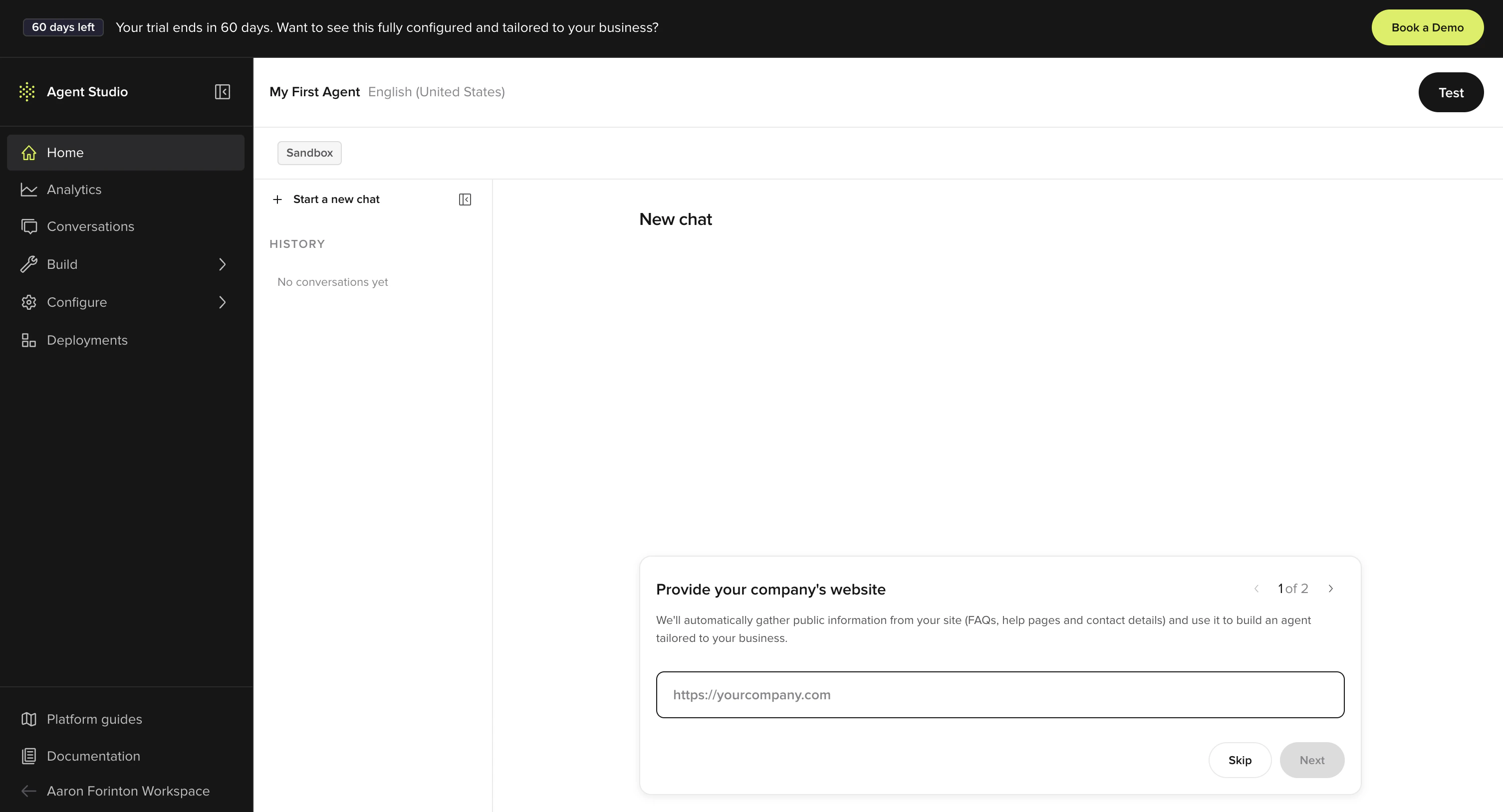 Open Agent Studio and describe your agent.
Sign up → describe → test → embed. End to end.
Embed the agent on your website with a single script tag.
Open Agent Studio and describe your agent.
Sign up → describe → test → embed. End to end.
Embed the agent on your website with a single script tag.
## Starter prompts
Paste any of these into [Agent Builder](/studio-assistant/introduction) to scaffold an agent you can immediately edit and test.
*Build a reservations agent for a restaurant. Greet the caller, take party size, date and time, name, and phone number, then confirm. If the slot isn't available, suggest the nearest open window.*
*Build an agent for a dental clinic. Handle appointment requests for new and existing patients, check-in confirmations, opening-hours questions. Route urgent issues to staff. Don't quote prices.*
*Read \[your-site.com] and build an agent that answers customer questions about products, pricing, shipping, and returns. Be brief. If you don't know, say so and offer to take a message.*
*Build a lead-capture agent for a B2B SaaS product. Qualify the caller's company size, role, and use case, then book a 15-minute demo on the calendar.*
## Once you've built something
Patterns that get better results.
Read transcripts, spot issues, ask Agent Builder to fix them.
The listen → diagnose → fix loop.
## Where do you want to start?
Low-code and no-code agent building in Agent Studio.
Edit knowledge, voice, closures, and more on a live Agent Studio agent.
Pull, edit, and push agent configuration as YAML and Python files with the ADK CLI.
REST APIs to update and configure agents programmatically.
New here? See the [platform overview](/platform/introduction) for how Agent Studio, the ADK, and APIs fit together, or jump straight into the [quickstart](/get-started/quickstart).
## Build your agent
Set up your agent's personality, knowledge, voice, and conversation flows.
Configure personality and rules
Managed topics, FAQs, and [connected external sources](/connected-knowledge/introduction)
Customize text-to-speech and audio
Deploy a webchat version of your agent
Build multi-step conversations
Transfer users to human agents
## Integrations ecosystem
Connect your agent to telephony, CRM, payments, and other systems. See the [full catalog](/integrations/introduction).
Five9, NICE CXone, Twilio, Amazon Connect, Genesys, Dialpad, and more
Salesforce, ServiceNow, Zendesk: sync data and create tickets during calls
Pre-built connectors for payments, reservations, and data
Build your own integrations through HTTP, Python, or Model Context Protocol
## Deploy and monitor
Track performance, review conversations, and manage your deployment pipeline.
Manage sandbox to production
Track performance metrics
Review and diagnose calls
## Resources
Ongoing agent maintenance
Common issues and solutions
Latest features and updates