> ## Documentation Index
> Fetch the complete documentation index at: https://docs.poly.ai/llms.txt
> Use this file to discover all available pages before exploring further.
# Authentication
> Obtain a PolyAI API key and configure your MCP client to authenticate against the Builder MCP.
PolyAI's MCP servers authenticate with the same [workspace-scoped API key](/secrets/api-keys) used across PolyAI's APIs, sent in the `X-API-KEY` header.
## Get an API key
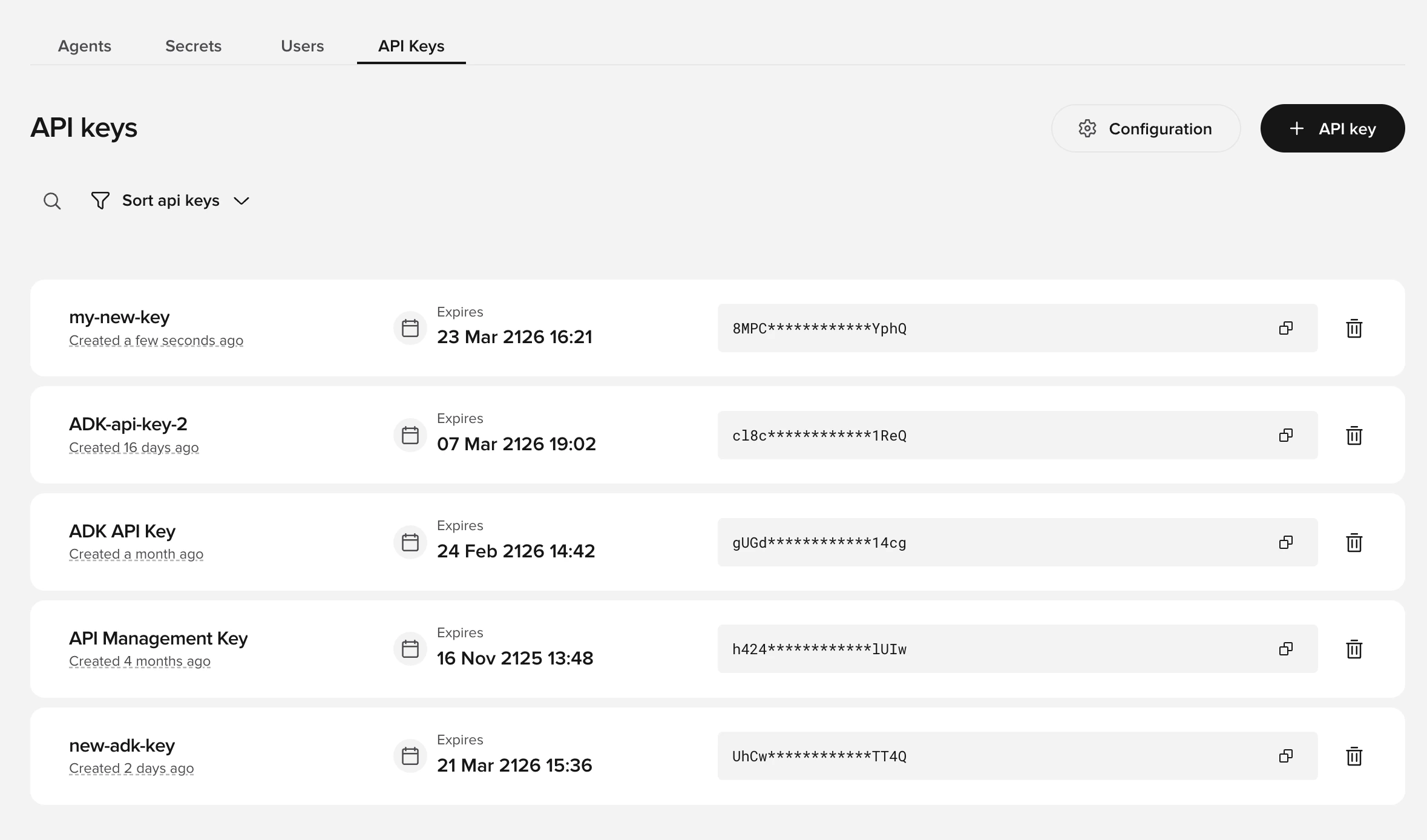
Go to the **API Keys** tab on your workspace homepage in Agent Studio. See [API keys](/secrets/api-keys) for details.
Select **API key**, name it, choose the agents it can access, and set its permissions. Scope it to the least it needs — see [Security & safe use](/mcp/builder/security#use-least-privilege-keys).
The full key is shown only once. Copy it immediately and store it in your client's secret settings — never paste it into a chat prompt.
 ## Configure your client
Pass the key in the `X-API-KEY` header. The MCP server uses the streamable HTTP transport, so clients also send an `Accept` header:
| Header | Value |
| ----------- | ------------------------------------- |
| `X-API-KEY` | Your workspace-scoped API key |
| `Accept` | `application/json, text/event-stream` |
Most clients set `Accept` automatically. See [Quickstart](/mcp/quickstart#2-add-the-server-to-your-client) for per-client configuration.
## Pick your region
PolyAI runs the MCP server in every region, on the same host family as the [platform APIs](/api-reference/introduction#pick-your-region). Your API key is scoped to a workspace, and each workspace lives in one region — connect to the matching endpoint.
| Region | Endpoint |
| ------ | ---------------------------------------- |
| US | `https://api.us.poly.ai/builder-mcp` |
| UK | `https://api.uk.poly.ai/builder-mcp` |
| EU | `https://api.eu.poly.ai/builder-mcp` |
| Studio | `https://api.studio.poly.ai/builder-mcp` |
## OAuth (coming soon)
Browser-based OAuth is on the roadmap — you'll be able to authorize a client without manually creating and pasting a key. **At launch, use API-key authentication as described above.** This page will cover OAuth once it ships.
## Configure your client
Pass the key in the `X-API-KEY` header. The MCP server uses the streamable HTTP transport, so clients also send an `Accept` header:
| Header | Value |
| ----------- | ------------------------------------- |
| `X-API-KEY` | Your workspace-scoped API key |
| `Accept` | `application/json, text/event-stream` |
Most clients set `Accept` automatically. See [Quickstart](/mcp/quickstart#2-add-the-server-to-your-client) for per-client configuration.
## Pick your region
PolyAI runs the MCP server in every region, on the same host family as the [platform APIs](/api-reference/introduction#pick-your-region). Your API key is scoped to a workspace, and each workspace lives in one region — connect to the matching endpoint.
| Region | Endpoint |
| ------ | ---------------------------------------- |
| US | `https://api.us.poly.ai/builder-mcp` |
| UK | `https://api.uk.poly.ai/builder-mcp` |
| EU | `https://api.eu.poly.ai/builder-mcp` |
| Studio | `https://api.studio.poly.ai/builder-mcp` |
## OAuth (coming soon)
Browser-based OAuth is on the roadmap — you'll be able to authorize a client without manually creating and pasting a key. **At launch, use API-key authentication as described above.** This page will cover OAuth once it ships.