> ## Documentation Index
> Fetch the complete documentation index at: https://docs.poly.ai/llms.txt
> Use this file to discover all available pages before exploring further.
# OpenTable
> Connect your PolyAI agent to OpenTable for automated restaurant reservation management.
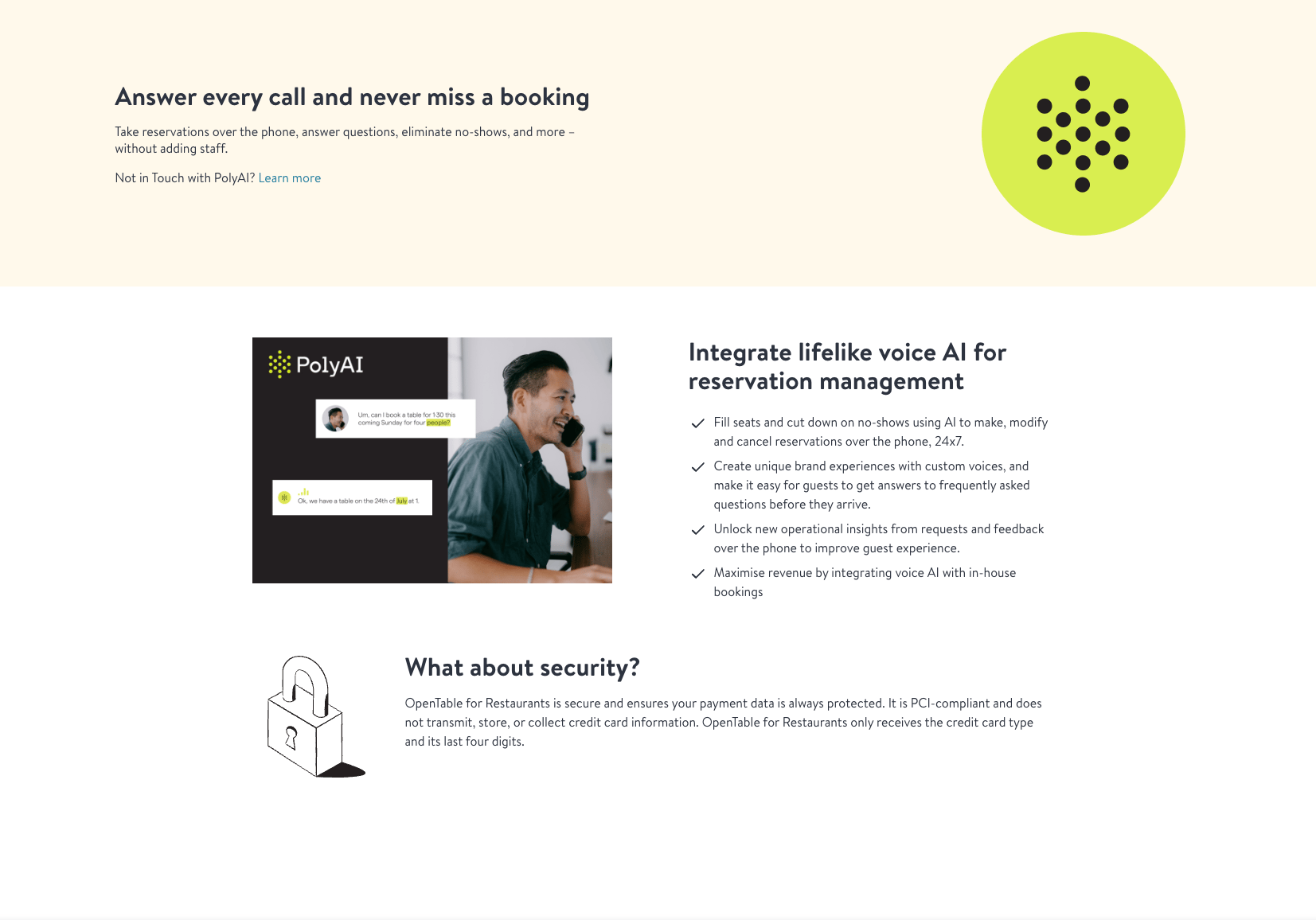 Connect PolyAI to OpenTable for [Core](https://www.opentable.com/restaurant-solutions/plans/core/) and [Pro](https://www.opentable.com/restaurant-solutions/plans/pro/) customers using a unique identifier from PolyAI.
Before getting started, you should have both an OpenTable and PolyAI account.
Connect PolyAI to OpenTable for [Core](https://www.opentable.com/restaurant-solutions/plans/core/) and [Pro](https://www.opentable.com/restaurant-solutions/plans/pro/) customers using a unique identifier from PolyAI.
Before getting started, you should have both an OpenTable and PolyAI account.
 ## Getting started
1. Log in to the [OpenTable for Groups dashboard](https://guestcenter.opentable.com/login).
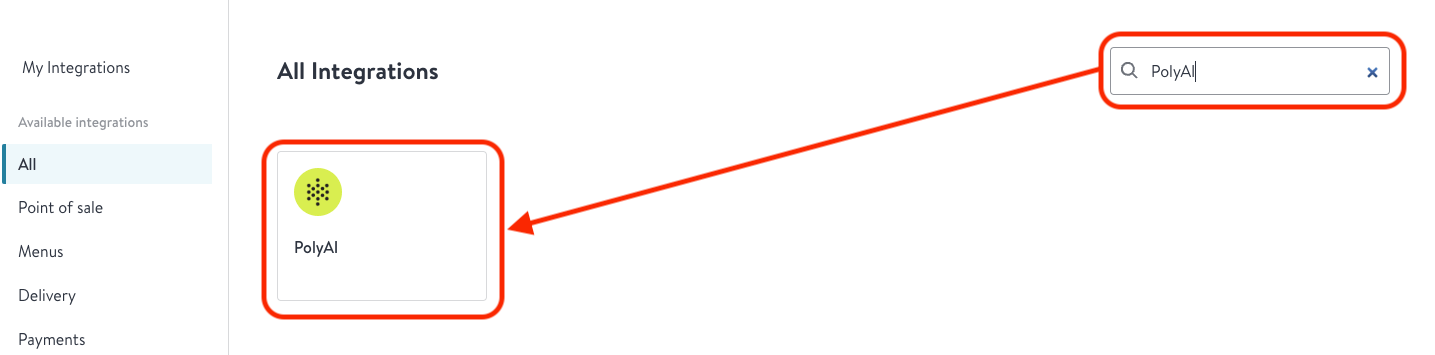
2. Use the OpenTable marketplace search to find the **PolyAI tile**.
3. Click **"Integrate with PolyAI"**.
4. You will be redirected to a page in OpenTable and asked for a unique identifier.
* If you are not yet a PolyAI customer, click **"Contact PolyAI"** and trigger a sales form.
5. If you have your unique identifier (provided by PolyAI during integration setup), enter it into the **"Unique identifier"** text field. Contact your PolyAI account manager if you need this value.
6. PolyAI and OpenTable will enable your integration and contact you once it is ready to use.
See the [OpenTable article on PolyAI](https://support.opentable.com/s/article/polyai?language=en_US) for more details. You must contact PolyAI directly if you want to **deactivate** your integration.
## Authorization
OpenTable uses [OAuth 2.0](https://oauth.net/2/) for secure access to its API. To get started:
1. Request your `client_id` and `client_secret` from OpenTable.
2. Exchange your credentials for an **access token**.
OpenTable provides two endpoints:
* **Production:** `https://oauth.opentable.com`
* **QA:** `https://oauth-pp.opentable.com`
You will POST to the following URI (Production example):
`POST` [https://oauth.opentable.com/api/v2/oauth/token?grant\_type=client\_credentials](https://oauth.opentable.com/api/v2/oauth/token?grant_type=client_credentials)
### Submitting client credentials
Credentials are passed in the `Authorization` header as specified in the [OAuth spec](https://datatracker.ietf.org/doc/html/rfc6749). Use the following steps to submit your client credentials:
```python theme={"theme":{"light":"github-light","dark":"github-dark"}}
import base64
import requests
client_id = "your_client_id"
client_secret = "your_client_secret"
# Encode the client credentials
auth_string = f"{client_id}:{client_secret}"
encoded_auth = base64.b64encode(auth_string.encode()).decode()
# Set up the request
url = "https://oauth.opentable.com/api/v2/oauth/token?grant_type=client_credentials"
headers = {
"Authorization": f"Basic {encoded_auth}",
"Content-Type": "application/x-www-form-urlencoded"
}
# Send the request
response = requests.post(url, headers=headers)
print(response.json())
```
## Making a booking
Below is a simplified Python example referencing the `make_booking` logic:
```python theme={"theme":{"light":"github-light","dark":"github-dark"}}
import requests
def get_access_token(client_id, client_secret):
auth_url = "https://oauth.opentable.com/api/v2/oauth/token?grant_type=client_credentials"
auth_string = f"{client_id}:{client_secret}"
encoded_auth = requests.utils.quote(auth_string)
headers = {
"Authorization": f"Basic {encoded_auth}",
"Content-Type": "application/x-www-form-urlencoded"
}
response = requests.post(auth_url, headers=headers)
if response.status_code == 200:
return response.json()["access_token"]
else:
raise Exception(f"Failed to obtain token: {response.text}")
def make_booking(
access_token, rid, first_name, last_name, phone_number, country_code="US", special_request=""
):
booking_url = f"https://platform.opentable.com/inhouse/v1/booking/{rid}/reservations"
headers = {
"Authorization": f"Bearer {access_token}",
"Content-Type": "application/json"
}
payload = {
"first_name": first_name,
"last_name": last_name,
"phone": {
"number": phone_number,
"country_code": country_code
},
"restaurant_id": rid,
"reservation_token": "YOUR_RESERVATION_TOKEN_HERE",
"sms_notifications_opt_in": True,
"special_request": special_request
}
response = requests.post(booking_url, json=payload, headers=headers)
if response.status_code == 200:
res_data = response.json()
return f"Successfully booked table for {res_data['party_size']} on {res_data['date_time']}"
else:
return f"Booking failed: {response.text}"
```
## Next steps
1. **Error handling:** In production, handle normal HTTP status codes like `401 Unauthorized`, `403 Forbidden`, and `400 Bad Request`.
2. **Data validation:** Add logic to ensure users provide all required fields (e.g., names, valid phone numbers, reservation token).
3. **Token renewal:** Monitor token expiration and re-run the OAuth flow to obtain fresh tokens.
For more advanced usage–such as seat preferences, custom error flows, or credit card holds–expand on these snippets with your own business logic.
## Related pages
Browse all available integrations.
Alternative integration for event and large party bookings.
## Getting started
1. Log in to the [OpenTable for Groups dashboard](https://guestcenter.opentable.com/login).
2. Use the OpenTable marketplace search to find the **PolyAI tile**.
3. Click **"Integrate with PolyAI"**.
4. You will be redirected to a page in OpenTable and asked for a unique identifier.
* If you are not yet a PolyAI customer, click **"Contact PolyAI"** and trigger a sales form.
5. If you have your unique identifier (provided by PolyAI during integration setup), enter it into the **"Unique identifier"** text field. Contact your PolyAI account manager if you need this value.
6. PolyAI and OpenTable will enable your integration and contact you once it is ready to use.
See the [OpenTable article on PolyAI](https://support.opentable.com/s/article/polyai?language=en_US) for more details. You must contact PolyAI directly if you want to **deactivate** your integration.
## Authorization
OpenTable uses [OAuth 2.0](https://oauth.net/2/) for secure access to its API. To get started:
1. Request your `client_id` and `client_secret` from OpenTable.
2. Exchange your credentials for an **access token**.
OpenTable provides two endpoints:
* **Production:** `https://oauth.opentable.com`
* **QA:** `https://oauth-pp.opentable.com`
You will POST to the following URI (Production example):
`POST` [https://oauth.opentable.com/api/v2/oauth/token?grant\_type=client\_credentials](https://oauth.opentable.com/api/v2/oauth/token?grant_type=client_credentials)
### Submitting client credentials
Credentials are passed in the `Authorization` header as specified in the [OAuth spec](https://datatracker.ietf.org/doc/html/rfc6749). Use the following steps to submit your client credentials:
```python theme={"theme":{"light":"github-light","dark":"github-dark"}}
import base64
import requests
client_id = "your_client_id"
client_secret = "your_client_secret"
# Encode the client credentials
auth_string = f"{client_id}:{client_secret}"
encoded_auth = base64.b64encode(auth_string.encode()).decode()
# Set up the request
url = "https://oauth.opentable.com/api/v2/oauth/token?grant_type=client_credentials"
headers = {
"Authorization": f"Basic {encoded_auth}",
"Content-Type": "application/x-www-form-urlencoded"
}
# Send the request
response = requests.post(url, headers=headers)
print(response.json())
```
## Making a booking
Below is a simplified Python example referencing the `make_booking` logic:
```python theme={"theme":{"light":"github-light","dark":"github-dark"}}
import requests
def get_access_token(client_id, client_secret):
auth_url = "https://oauth.opentable.com/api/v2/oauth/token?grant_type=client_credentials"
auth_string = f"{client_id}:{client_secret}"
encoded_auth = requests.utils.quote(auth_string)
headers = {
"Authorization": f"Basic {encoded_auth}",
"Content-Type": "application/x-www-form-urlencoded"
}
response = requests.post(auth_url, headers=headers)
if response.status_code == 200:
return response.json()["access_token"]
else:
raise Exception(f"Failed to obtain token: {response.text}")
def make_booking(
access_token, rid, first_name, last_name, phone_number, country_code="US", special_request=""
):
booking_url = f"https://platform.opentable.com/inhouse/v1/booking/{rid}/reservations"
headers = {
"Authorization": f"Bearer {access_token}",
"Content-Type": "application/json"
}
payload = {
"first_name": first_name,
"last_name": last_name,
"phone": {
"number": phone_number,
"country_code": country_code
},
"restaurant_id": rid,
"reservation_token": "YOUR_RESERVATION_TOKEN_HERE",
"sms_notifications_opt_in": True,
"special_request": special_request
}
response = requests.post(booking_url, json=payload, headers=headers)
if response.status_code == 200:
res_data = response.json()
return f"Successfully booked table for {res_data['party_size']} on {res_data['date_time']}"
else:
return f"Booking failed: {response.text}"
```
## Next steps
1. **Error handling:** In production, handle normal HTTP status codes like `401 Unauthorized`, `403 Forbidden`, and `400 Bad Request`.
2. **Data validation:** Add logic to ensure users provide all required fields (e.g., names, valid phone numbers, reservation token).
3. **Token renewal:** Monitor token expiration and re-run the OAuth flow to obtain fresh tokens.
For more advanced usage–such as seat preferences, custom error flows, or credit card holds–expand on these snippets with your own business logic.
## Related pages
Browse all available integrations.
Alternative integration for event and large party bookings.