> ## Documentation Index
> Fetch the complete documentation index at: https://docs.poly.ai/llms.txt
> Use this file to discover all available pages before exploring further.
# Safety
> Monitor risky conversations and content filtering.
Monitor flagged conversations and evaluate how your agent handles harmful content.
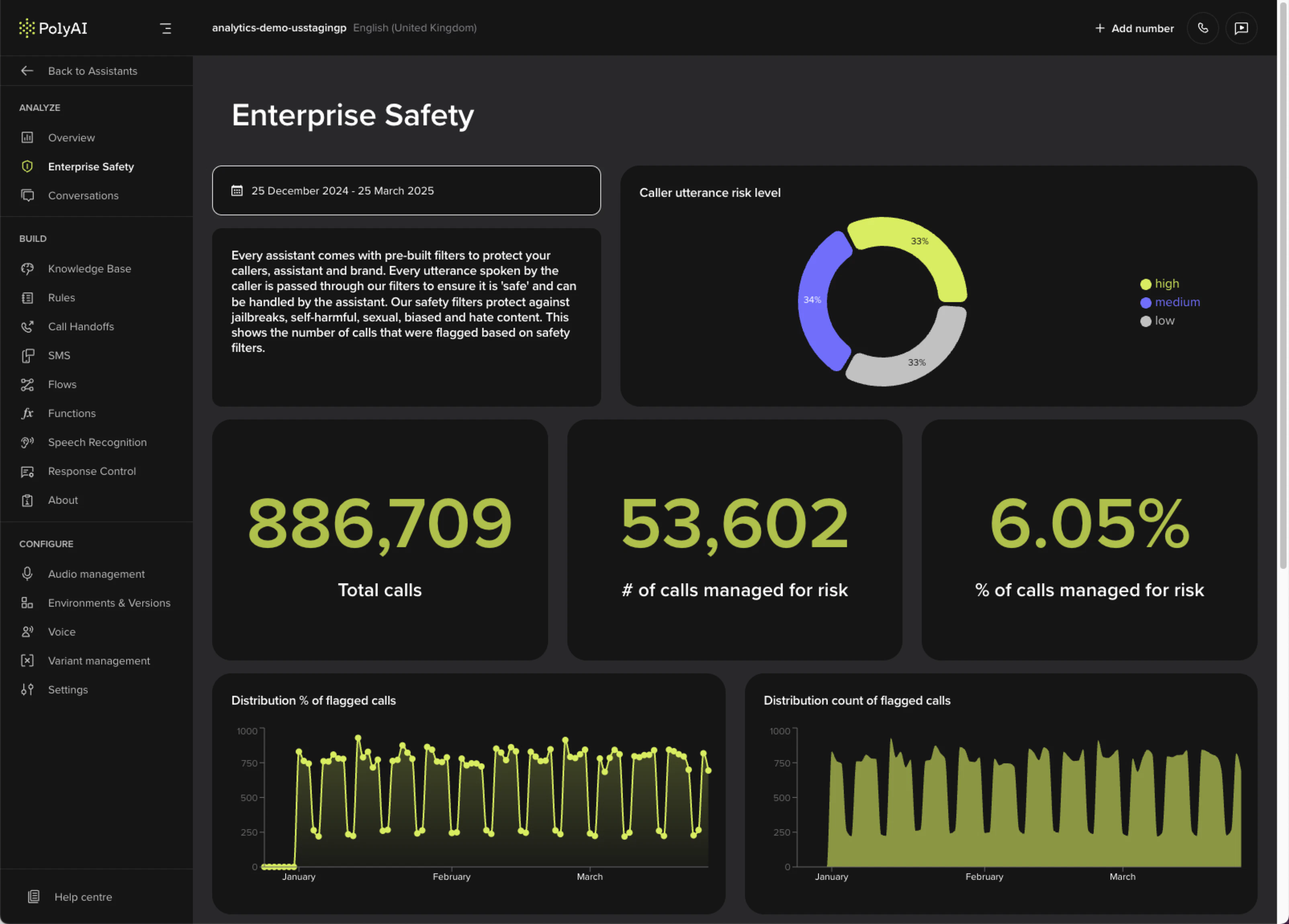 ## Metrics
| Metric | What it shows |
| --------------------------------- | ------------------------------------------------------------------- |
| **Caller utterance risk level** | How risky incoming messages are and how well the agent manages them |
| **Total calls** | Total call count during the selected period |
| **Calls managed for risk** | How often safety filters were triggered (count and percentage) |
| **Distribution of flagged calls** | Trends in flagged calls over time |
| **Caller utterance category** | Breakdown by hate, self-harm, sexual content, and violence |
## Configuring filters
Safety filters are configured project-wide in **Behavior** and overridden per channel in **Voice** and **Messaging**. See [Safety filters](/behavior/guardrails/safety-filters) for the full reference – categories, severity levels, language support, and how filters fit with [Guardrails](/behavior/guardrails/introduction).
## Related pages
Configure per-channel filter categories and severity levels.
Day-to-day performance monitoring: containment, call volume, and duration.
Inspect individual flagged conversations in full transcript view.
## Metrics
| Metric | What it shows |
| --------------------------------- | ------------------------------------------------------------------- |
| **Caller utterance risk level** | How risky incoming messages are and how well the agent manages them |
| **Total calls** | Total call count during the selected period |
| **Calls managed for risk** | How often safety filters were triggered (count and percentage) |
| **Distribution of flagged calls** | Trends in flagged calls over time |
| **Caller utterance category** | Breakdown by hate, self-harm, sexual content, and violence |
## Configuring filters
Safety filters are configured project-wide in **Behavior** and overridden per channel in **Voice** and **Messaging**. See [Safety filters](/behavior/guardrails/safety-filters) for the full reference – categories, severity levels, language support, and how filters fit with [Guardrails](/behavior/guardrails/introduction).
## Related pages
Configure per-channel filter categories and severity levels.
Day-to-day performance monitoring: containment, call volume, and duration.
Inspect individual flagged conversations in full transcript view.